Importing RND 3.0 Configuration Data to the RND 3.5 Database
You can import RND 3.0 MongoDB data to RND
3.5 PostgreSQL database.
Complete the following steps to import data from RND 3.0 MongoDB to RND 3.5 database:
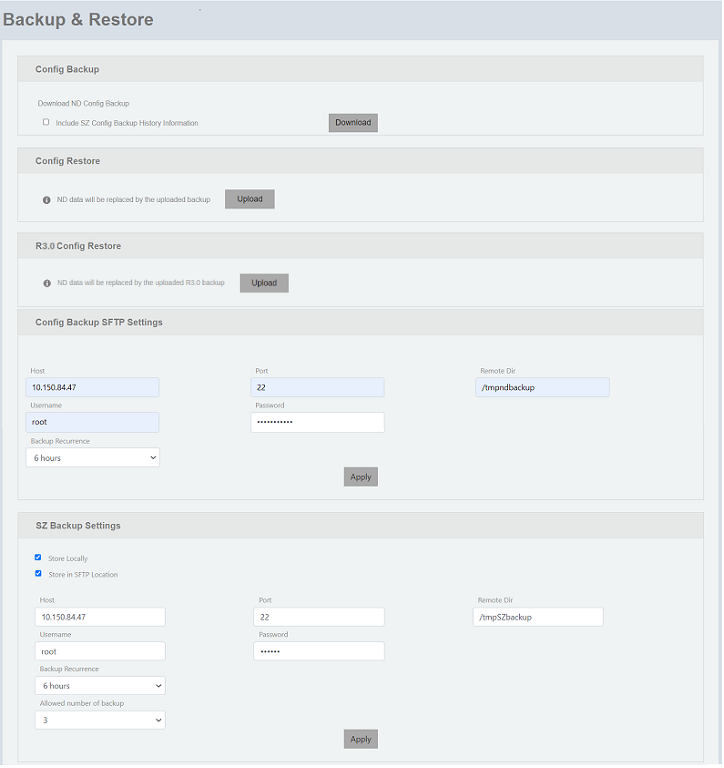
- On the menu, go to Admin > Backup & Restore.
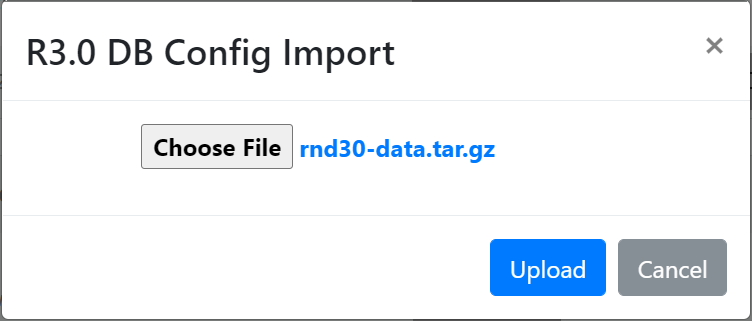
- In the R3.0 Config Restore panel, click Upload to navigate and choose the 'rnd30-data.tar.gz' file.
- Click Upload. A message is displayed to confirm whether you want to override the database configuration.
- Click OK to confirm. A confirmation message is displayed indicating that RND 3.0 database config is successfully imported to PostgreSQL database.