Enable CoA
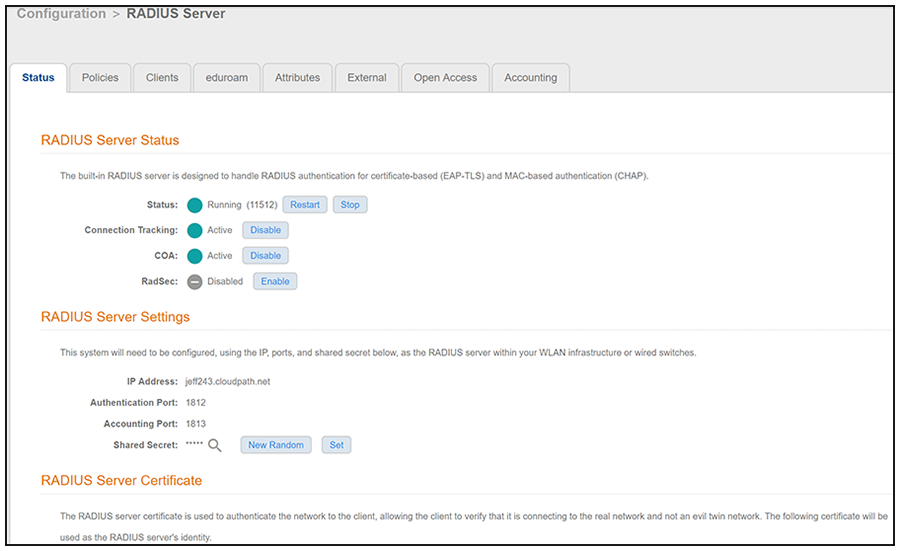
- Navigate to Configuration > RADIUS Server, Status tab.
- Enable CoA for the Cloudpath RADIUS server (Enabled by default).
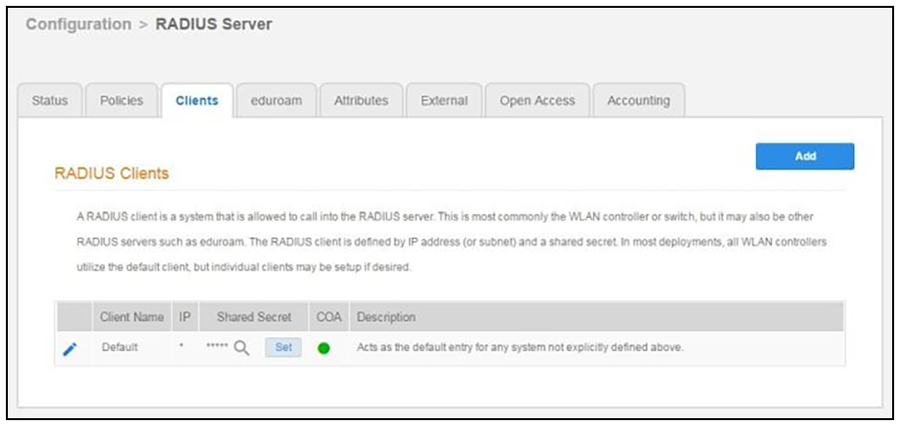
- On the Clients tab, click Add.
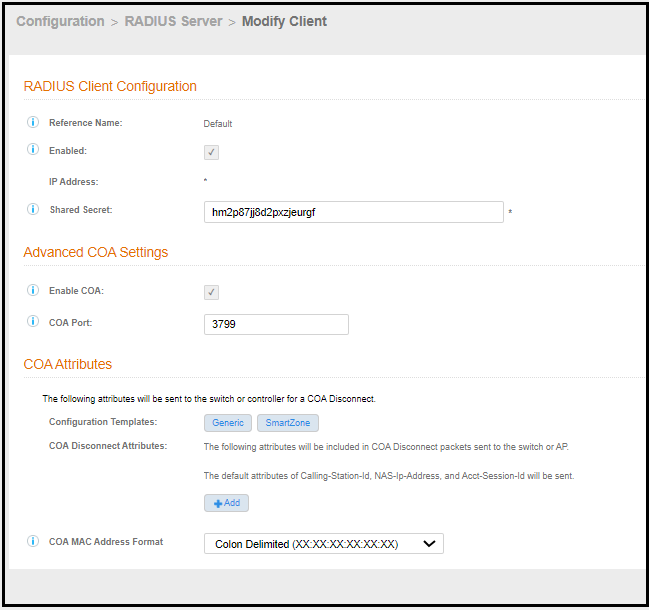
- Enter the client Reference Name.
- Enter the IP Address of the RADIUS client. The RADIUS client might be an AP, or a NAT device if the AP is behind a firewall.
- Enter the Shared Secret of the RADIUS client. This must match the key value on the switch or the controller.
- Enable COA must be checked.
- The COA Port is configurable. Its default is 3799, which is used for most CoA configurations. In RADSEC configurations, port 2083 is typically used; some Cisco equipment uses port 1700.