How to Monitor SMS Consumption
Cloudpath provides SMS usage reports. Users can view the total number of SMS messages sent throughout the year. This information helps users to make decisions about their SMS consumption. Cloudpath offers an alert system for the preventing unexpected SMS overages. Users will receive notifications when their SMS usage reaches 90% and 100% of the 5000 message threshold. Cloudpath implements a hard block at 125% of the 5000 message threshold. To accurately reflect user-initiated SMS activity, Cloudpath excludes SMS messages sent by the user's SMS server from the usage count. This ensures that only user-driven SMS messages are considered for quota and reporting purposes.The SMS usage year is determined by the account activation date. For accounts with trial periods, the SMS quota resets once the production license is activated. Cloudpath monitors SMS usage both locally and on the XPC platform. Administrators have the option to manually disable SMS sending on the XPC if necessary.
- From the Cloudpath Enrollment
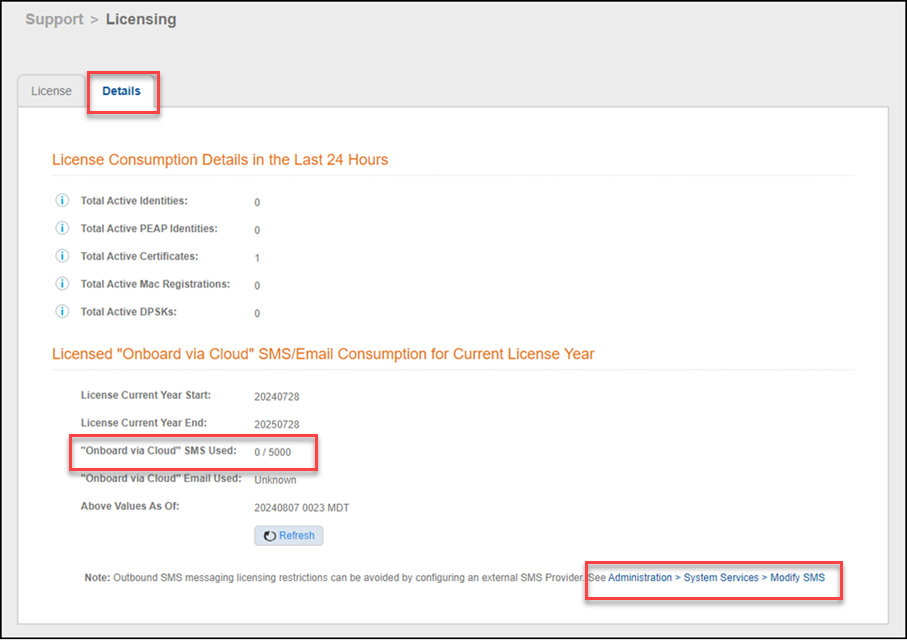
System navigation bar, go to .The Licensing page is displayed.
- Select the Details
tab.Details of license consumption in the last 24 hours and SMS and email consumption for the current license year are displayed.
- Review the information on SMS and email consumption for the current license year in the Licensed "Onboard via Cloud" SMS/Email Consumption for Current License Year section.
- (Optional) Click Refresh to refresh the data.
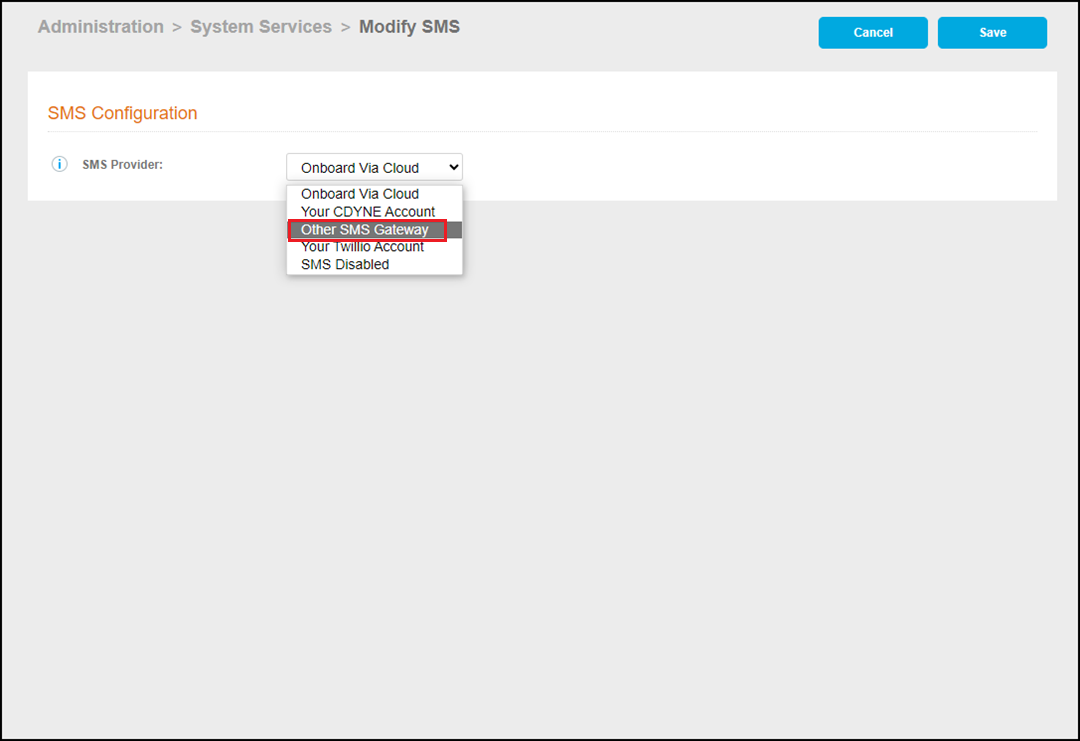
- (Optional) To configure a different SMS gateway from an external service
provider, from the Cloudpath navigation bar, go to and click the pencil icon to edit the SMS configuration.The Modify SMS page is displayed. By default, the SMS provider is set to Onboard via Cloud. In the SMS Configuration page, for the SMS Provider, select Other SMS Gateway.