Switching Pre-Release-5.7 DPSK pools to Policy-Assigned Pools
DPSK pools are created differently in
Release 5.7 and later from prior releases. If you have older pools in your system,
you can
continue to use them the same way in 5.7 or later, or you can convert them to the
policy-type DPSK pools that are created in Release 5.7 going forward. Once you switch
an old
pool to the new policy-type format, you cannot revert back to the pre-5.7 pool
configuration.
The figure below shows an example of a DPSK pool configured from a release prior to 5.7:
Modify Pool Configuration Screen: Pre-Release 5.7 DPSK Pool
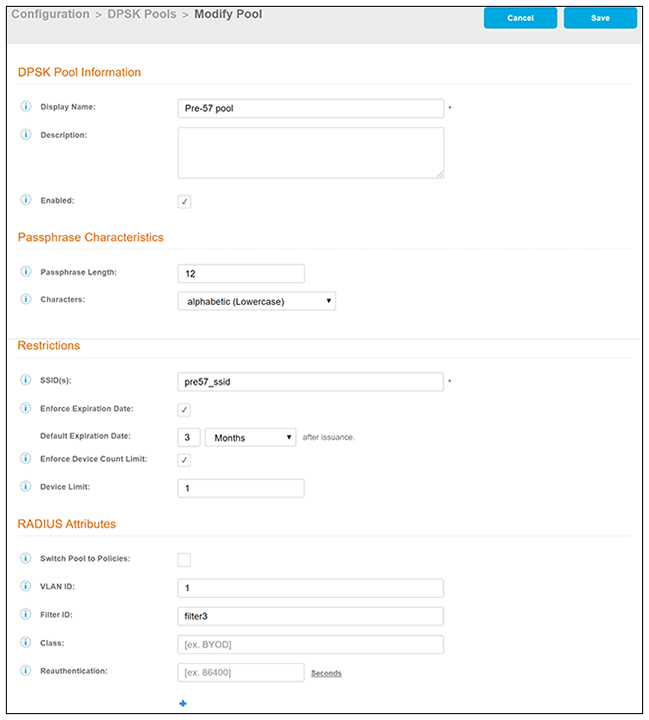
Note: Under RADIUS Attributes, the one new field called "Switch Pool to Policies" is how
you change the pool to a policy-assigned pool.
If you want to proceed with switching to the policy model, follow these steps:
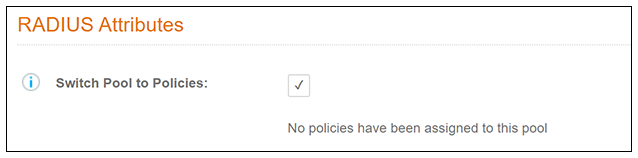
- Check the "Switch Pool to Policies" box. You will receive the following message:
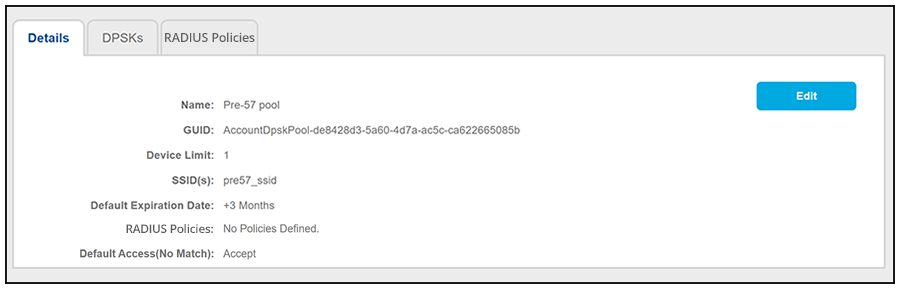
- Click Save on the Modify Pool Configuration screen. The DPSK Pool is now converted to the new format, as shown in the following example:
- Select the RADIUS Policies tab and add any desired policies. For instructions on adding policies, see Adding Policies to an eDPSK Pool.