Administrative Information for Alexa Vouchers
Binding, Unbinding, and Obtaining Log Files
Go to Administration > System Services, then scroll down to find Alexa and expand the information to see binding status:
From here, you can bind or unbind Alexa, remove old binding data, or get Alexa log files. The "Remove old binding data" button can be useful when you want to start from scratch in case there is an issue with attempting to use the Bind function.
Examining Alexa Vouchers
To view all Alexa vouchers that have been issued, navigate to Sponsorship > Vouchers, then expand the Alexa Vouchers list, as shown in the following example:
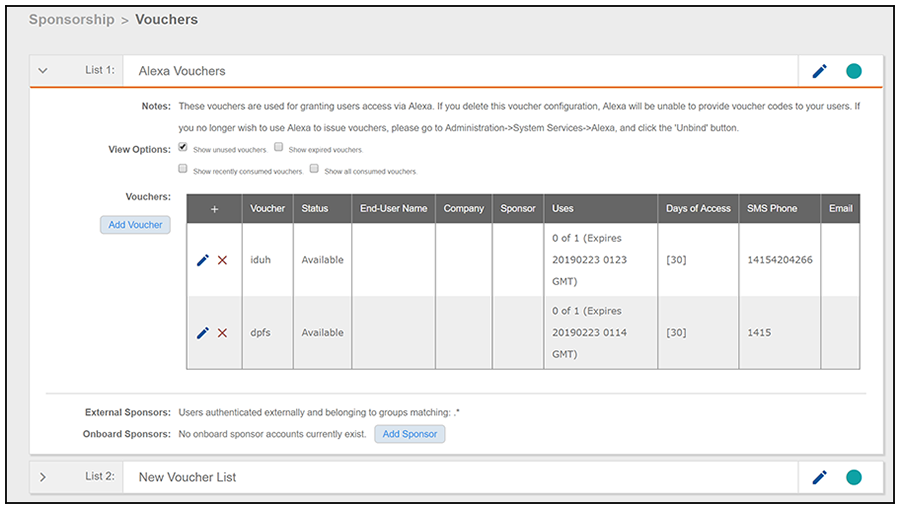
You can use the checkboxes to display information about all vouchers, or just vouchers in various states of usage. You can also add a voucher here, and supply an onboarding user with the new voucher for enrollment.
Alexa API Key
Cloudpath creates an API key unique for Alexa. To locate this key, go to Configuration > API Keys, as shown in the figure below:

Notifications
Cloudpath creates a notification in the Dashboard > Notifications section about Alexa vouchers:
