Setting Up the Alexa Workflow
At this point, you create a workflow similar to any other workflow that asks the enrolling user to enter the voucher code they received. The only difference is that the voucher the user receives comes from their Alexa application as opposed to coming from the Cloudpath Enrollment System.
For example, a very simple workflow is shown below:
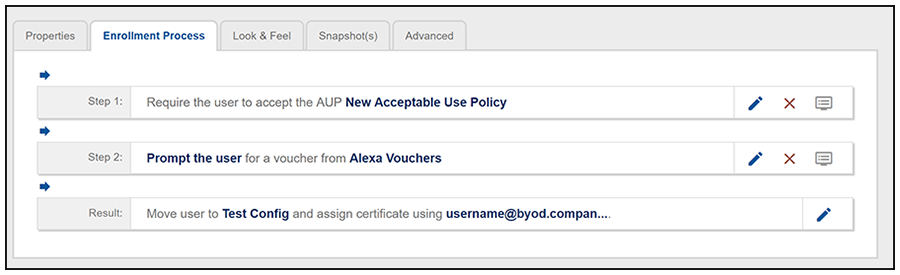
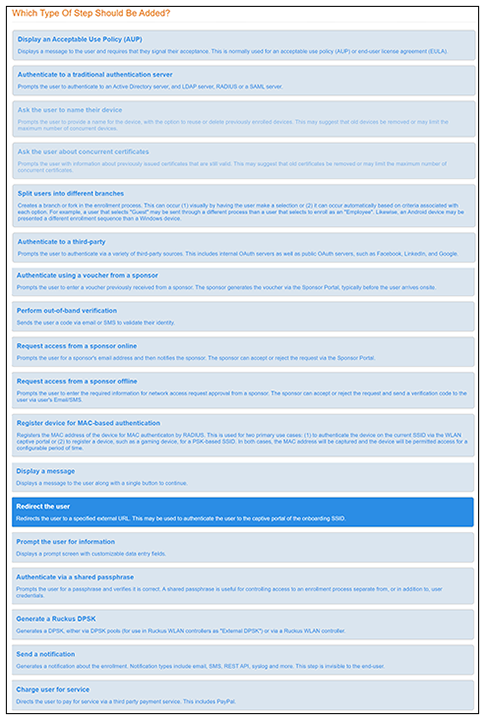
The workflow shown above includes the step where vouchers are added (Step 2). When you are in the process of adding that step to your workflow, the screen you are presented with (see below) includes the question "Which Type of Step Should Be Added?" Click the "Authenticate using a voucher from a sponsor" button:
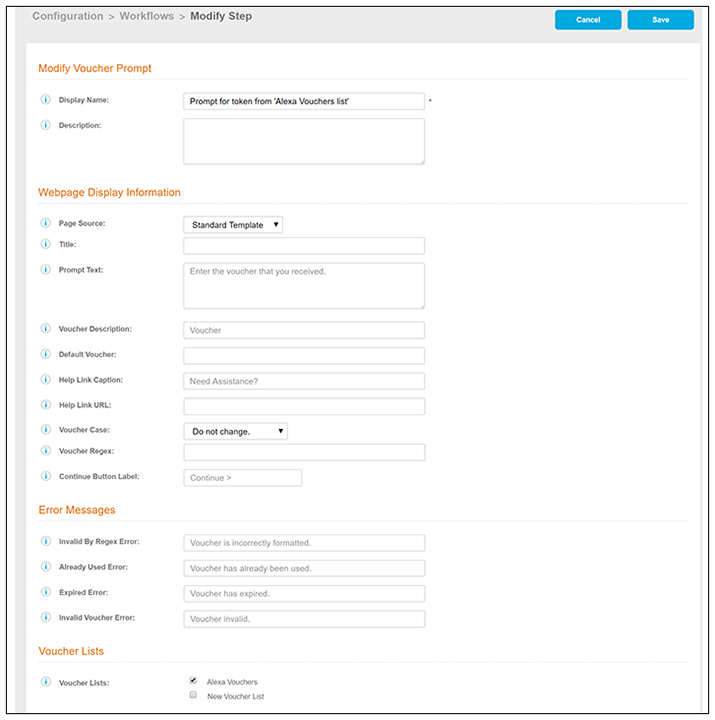
Then, when configuring information in the ensuing screen, you must select "Alexa Vouchers" in the Voucher List section near the bottom of the screen, as shown in the example below:
For more information about using vouchers in a workflow, refer to the Cloudpath Enrollment System Sponsored Guest Access Configuration Guide.