Adding Chromebook Device Configuration to a Workflow
Once you add the Chromebook device configuration into an active workflow, you can click the "Advanced" tab of the workflow, then scroll down to the "Managed Chromebook Setup" section and click the arrow. You will then receive instructions on the remaining configuration to be performed:
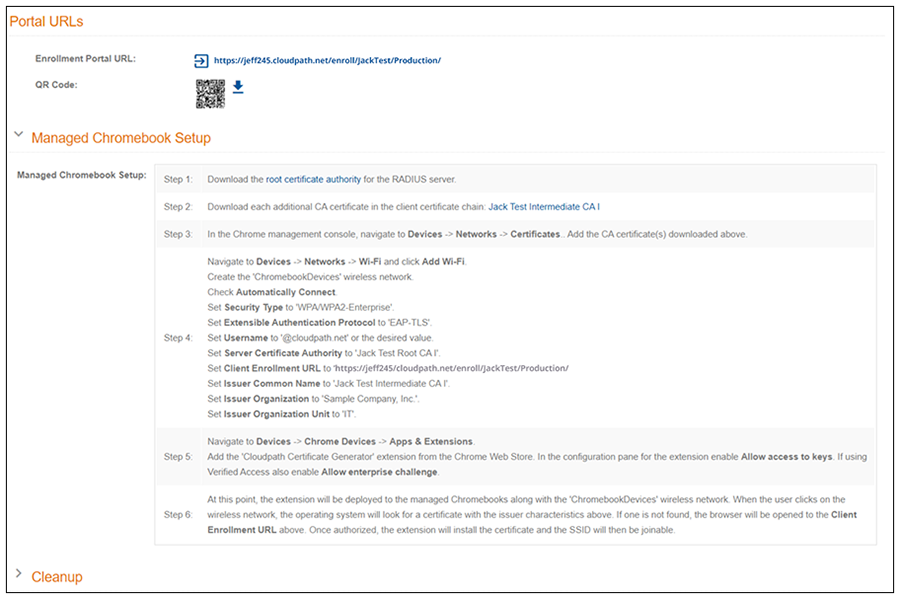
Note: Specific names shown in the instructions
are pulled in from the Cloudpath system being used, and are shown here as an example.