Verifying the Upgrade
After you have performed a ZoneDirector upgrade or AP firmware bundle installation, it is important to verify that the ZoneDirector and APs are running the expected software versions.
Version details for both the ZoneDirector and AP installed versions can be found in the ZoneDirector web interface. If you prefer to use the command line interface (CLI), use SSH to access the ZoneDirector or AP.
- To verify the current firmware version number, choose one of the following options:
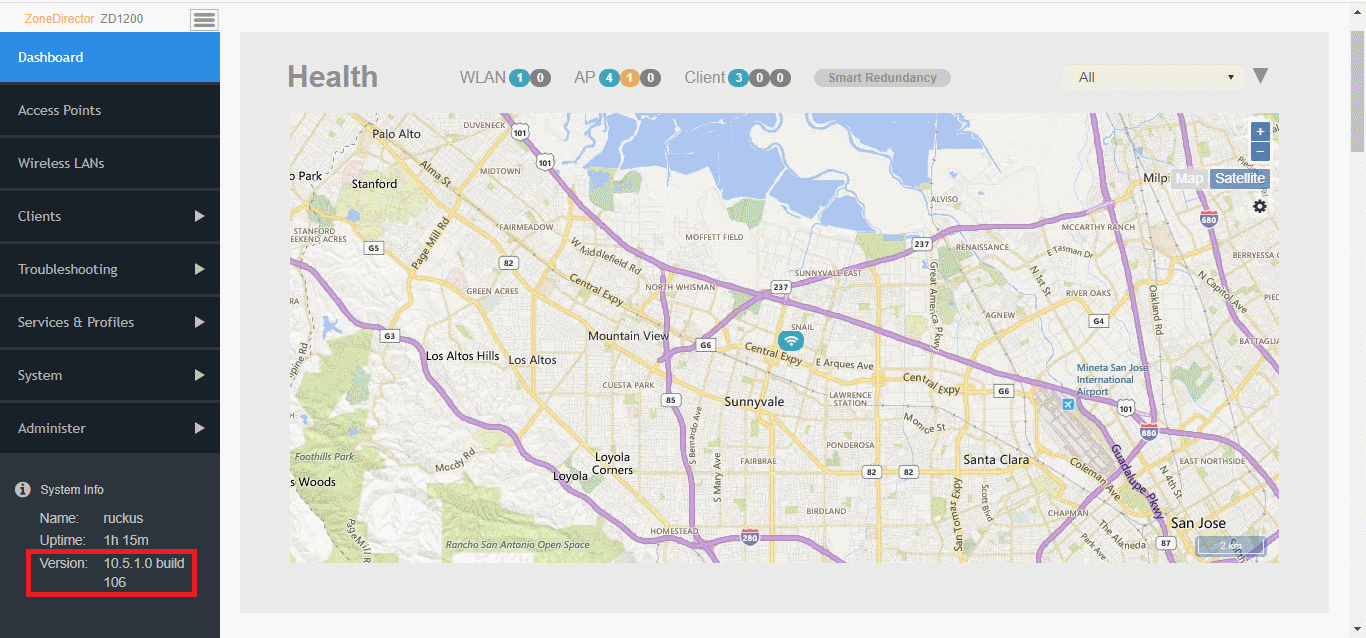
- Open the ZoneDirector web UI Dashboard, and locate the Version number in the System Info section.
- Verify the installed version using the CLI
using the
show sysinfocommand.ruckus# show sysinfo System Overview: Name= ZoneDirector IP Address= 192.168.0.6 IPv6 Address= fc00::2 MAC Address= f8:e7:1e:3a:4c:20 Uptime= 14m Model= ZD1200 Licensed APs= 5 Serial Number= 951608000220 Version= 10.5.1.0 build 106 ... ... ruckus#