Activating the Device License
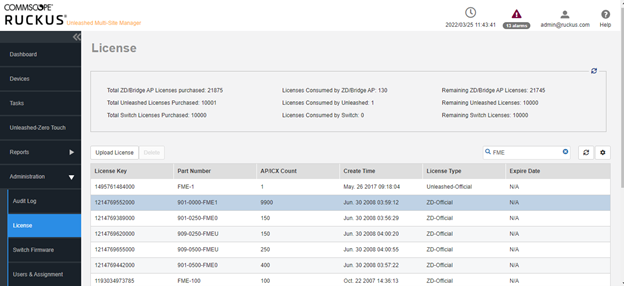
To enable the UMM license, you must first upload the license files to the UMM server.
- Log in to Unleashed Multi-Site Manager.
- Select Administration > License.
- Click Upload License. The Upload a license file dialog box is displayed.
- Click Drop file here or click to upload file.
- Select the license file, and click Open.
- Click OK to upload the license file to Unleashed Multi-Site Manager.