Configuring NTP on the ESXi Server
Before deploying a RUCKUS Virtual Edge
device, as a prerequisite you must configure Network Time Protocol (NTP) to synchronize
the
time of the ESXi server with the external NTP server.
- Log in to the ESXi server.
- Select .
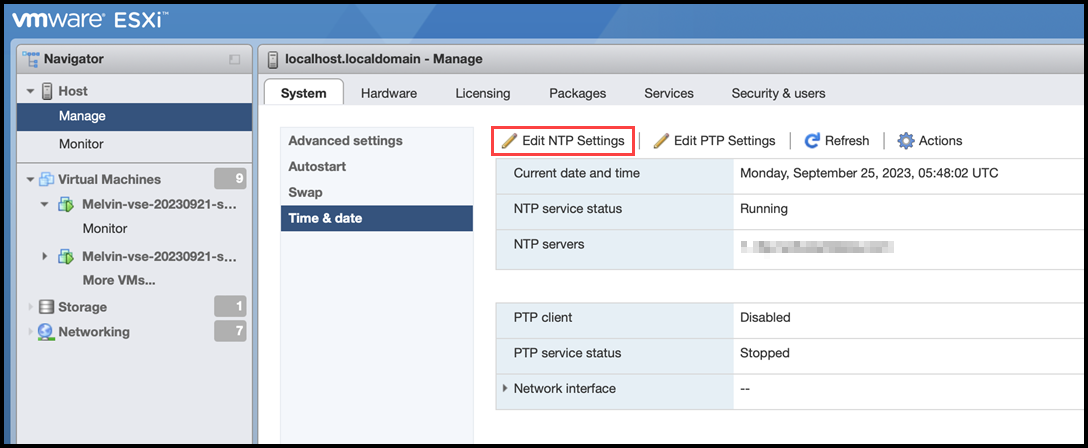
- Under the System tab, select Time & date and click Edit NTP Settings.
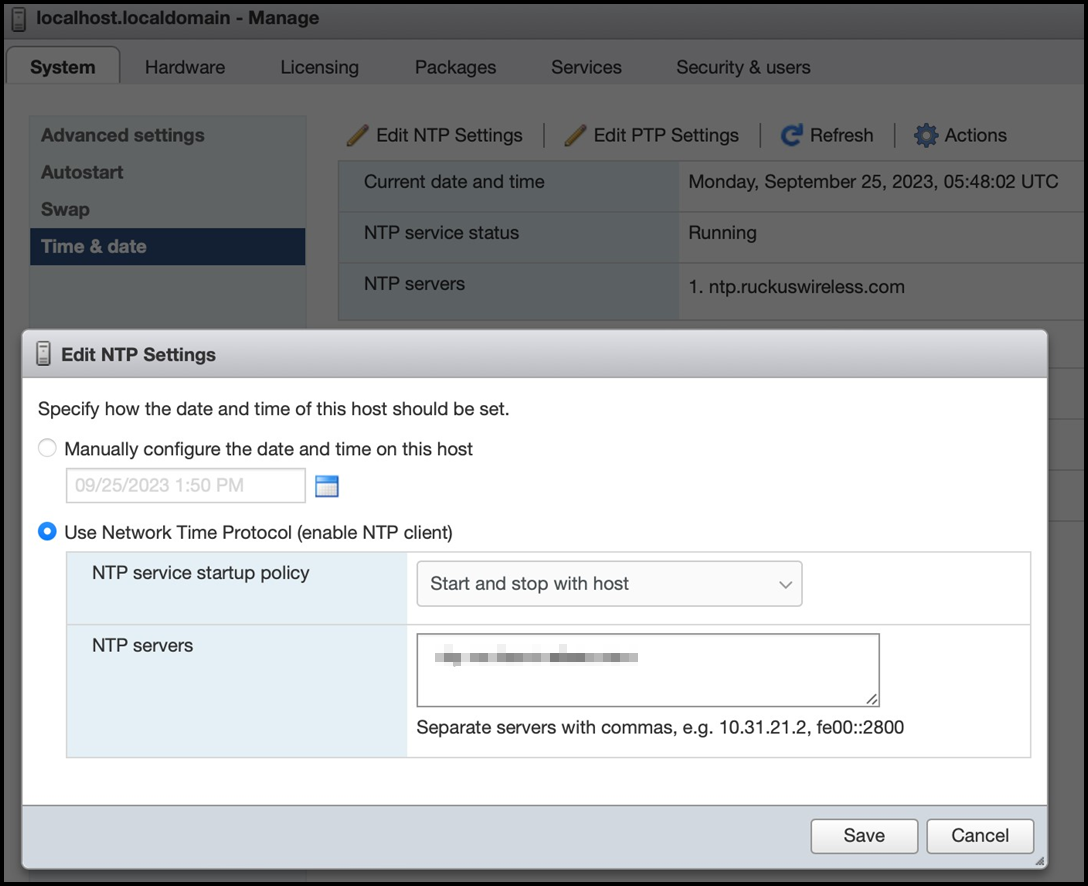
- In the Edit NTP Settings window, select the Use Network Time Protocol (enable NTP client) option.
- For NTP service startup policy, select Start and stop with host from the list.
- For NTP servers, enter the IPv4 or IPv6 address for one or more NTP servers.
- Click Save.