Activating and Editing the BLE Scan Plugin
The RUCKUS IoT Controller provides
support for the Bluetooth Low Energy (BLE) BLE Scan Plugin . The RUCKUS IoT Controller reads the packet from the IoT AP and routes the packets to
the BLE beacon vendor cloud services.
To establish a connection to a vendor infrastructure, the administrator must perform the following steps.
- From the main menu, click Admin.
- In the left navigation pane, click Plugins.
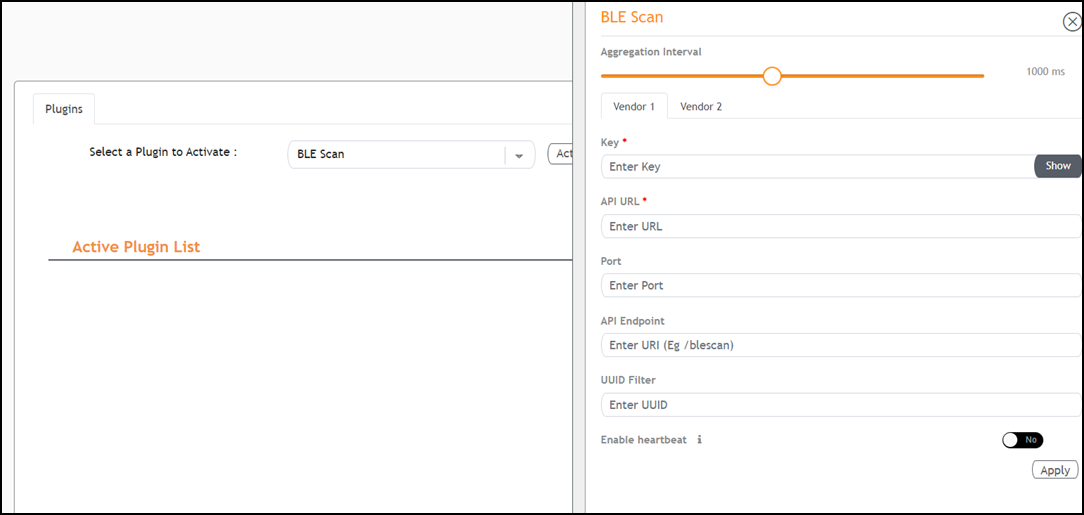
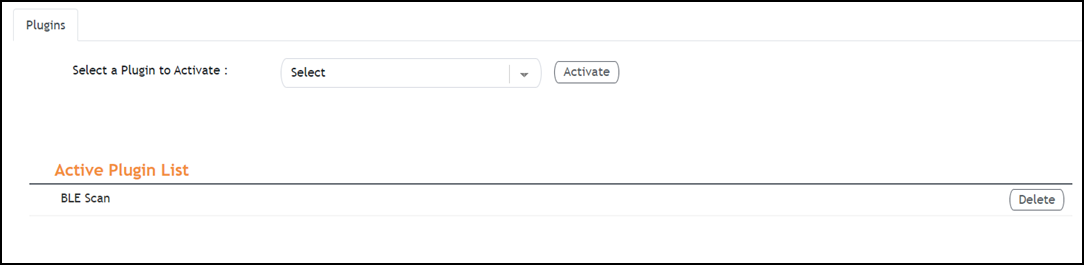
- In the Select a Plugin to Activate list, select the BLE Scan plugin and click Activate.
- After the BLE Scan plugin is
activated, enter the following configuration parameters.
- For Aggregation Interval, set the time interval between the two packets.
- Enter the Key.
- Enter the API URL.
- Enter the Port number.
- Enter the API Endpoint.
- Enter the UUID Filter. The filter allows only the BLE ADV packets with the specified UUID to be passed on to the vendor application.
- Enable heartbeat. Enabling heartbeat allows the vendor application to receive the IoT AP status, such as online or offline.
- Click Apply.
- (Optional) To delete the BLE Scan plugin, select it and click Delete.
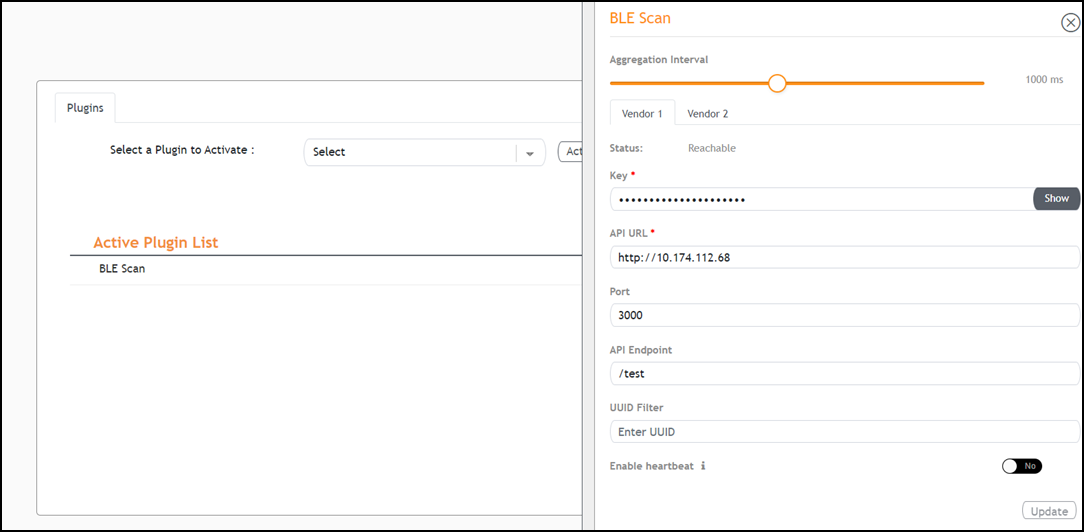
- (Optional) To edit the configuration of the BLE Scan plugin, select it and click Update.