Cloudpath Configuration
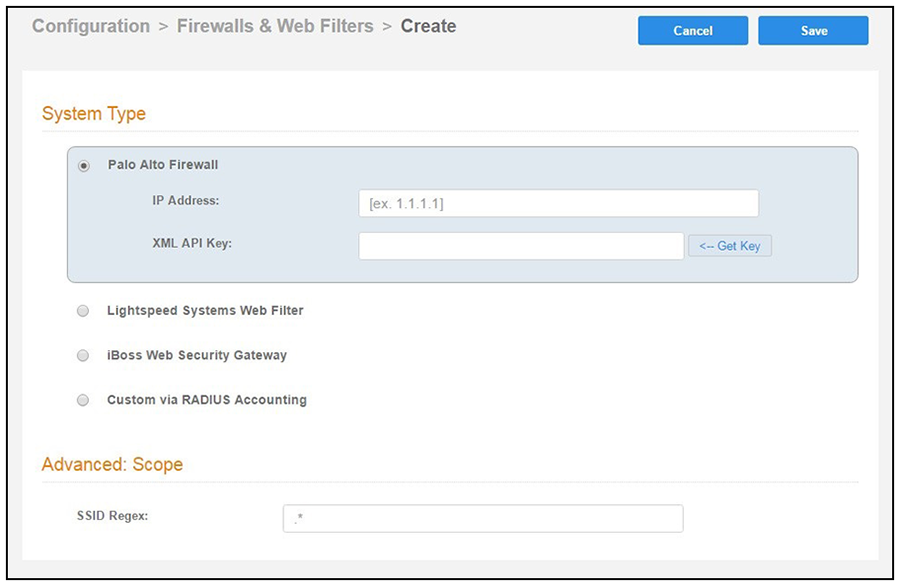
- Navigate to .
- Select Palo Alto Firewall.
- Enter the management IP address of the Palo Alto system.
- Click Get Key.
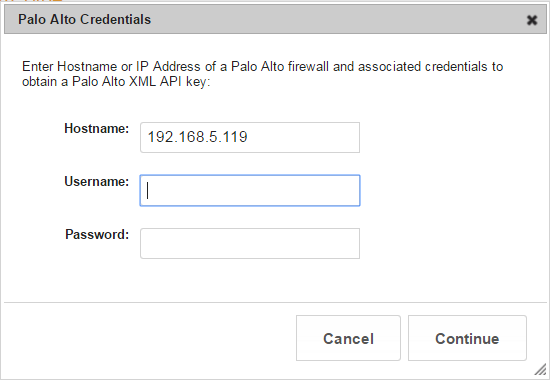
- In the Palo Alto Credentials popup, enter:
- Hostname or IP address of the Palo Alto firewall.
- Palo Alto administrator username.
- Palo Alto administrator password.
The API key is generated by the system and displayed. This is the API key the Cloudpath system will use to communicate with the firewall. - Scope is optional. If you want only information from a specific SSID to be forwarded to the Palo Alto firewall (or other specified web filters), enter it in the SSID Regex field.