Accounting Services for Access WLAN
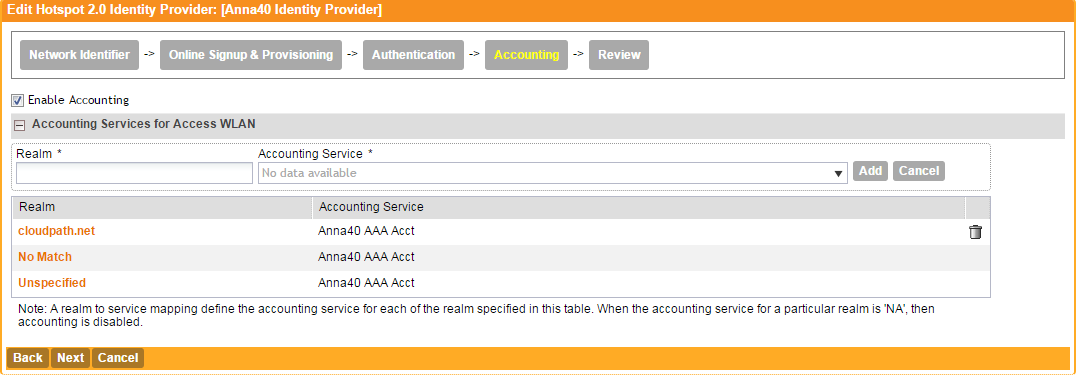
- On the Accounting tab, enable Accounting.
- Add one or Realms for RADIUS accounting. Enter an accounting service for the Cloudpath system realm, for systems that do not match the Cloudpath realm, and for unspecified realms.
- Specify the Accounting server previously configured in Accounting Services.
- Leave the default values for the remaining fields, and click Next to apply changes and continue with Accounting.