CoA Attributes
Adding Attributes
If your switch, AP vendor or controller requires additional CoA Disconnect attributes, they can be added here. If you cannot locate the attribute you need, you can go to Configuration > Radius Server, "Attributes" tab on the Cloudpath UI to locate and enable the desired attribute.
Attribute Needed for SmartZone 5.1
If you are using a SmartZone 5.1 controller, you must do the following:
- In the Configuration > Radius Server portion of the UI, click the "Clients" tab.
- Either click Add to add a new client, or click the pencil icon next to an existing client to modify the configuration.
- In the ensuing screen, scroll to the COA Attributes section.
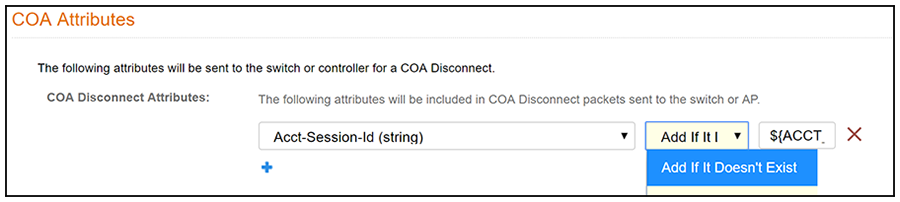
- Click + to add a new attribute, then do the following:
The following illustration depicts the attribute settings described above, but note that the box on the right does not display all the characters of the entry ${ACCT_SESSION_ID} simultaneously .