Purging User Information
As part of GDPR compliance, you must purge data about a user who chooses to opt out
of Cloudpath and requests that all personal information be removed.
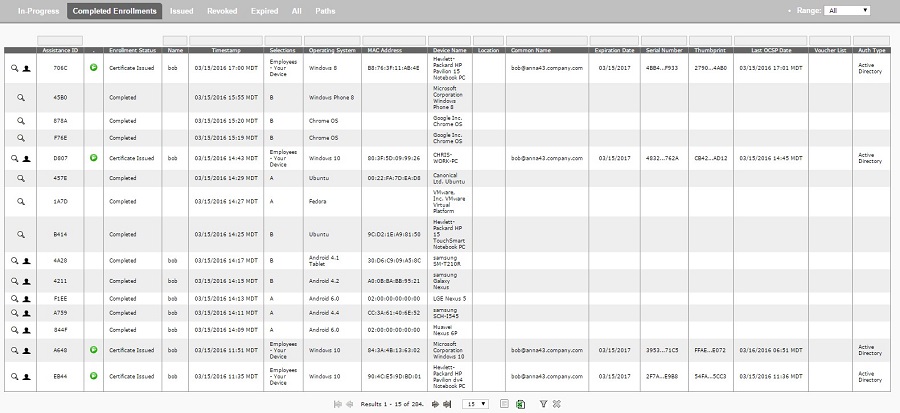
As described in the Configuring Acceptance Use Policy section, you need to include instructions to users who wish to have their personal information purged should they decide to stop being a Cloudpath user. One of the pieces of information they must provide is a way for you to locate their record in the Dashboard > Enrollments screen in Cloudpath. An example of this screen is shown below.
Follow these steps to delete a record:
- Locate the record to delete. You can use the search fields above the column you are using to locate the user information, such as the MAC address column.
- Click the magnifying glass icon to the left of the desired record. This opens up the record in View mode.
- Scroll to the bottom of the record, then click on Cleanup.
- Click the box called
Delete Enrollment & Related Data, then follow the popup instructions to complete the deletion. process.
Note: If deletion is successful, you are returned to the list of records, and an "Enrollment destroyed" message appears at the top of the screen.