Configure Hotspot 2.0 Wi-Fi Operator Profile
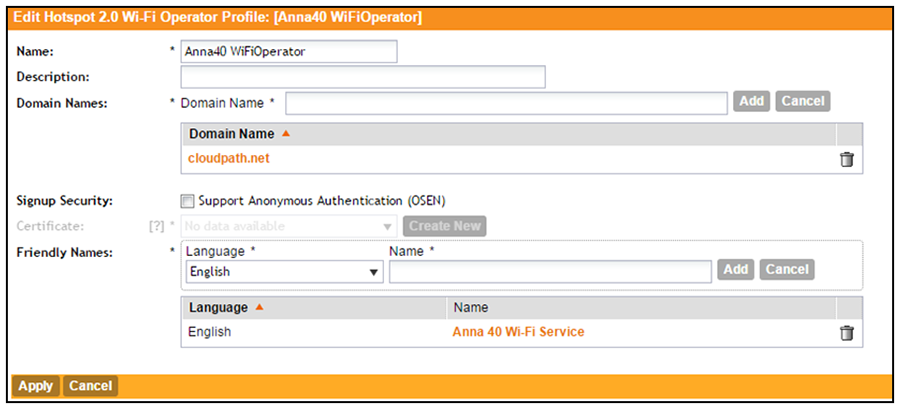
- Navigate to .
- Enter a Name for the Wi-Fi Operator profile.
- Add the Domain Name for the Cloudpath system.
- Select a Language, and Add the Friendly Name for the Cloudpath system. You can enter multiple languages for the same Friendly Name.
- Leave the default values for the remaining fields, and click Apply.