Configure WLAN
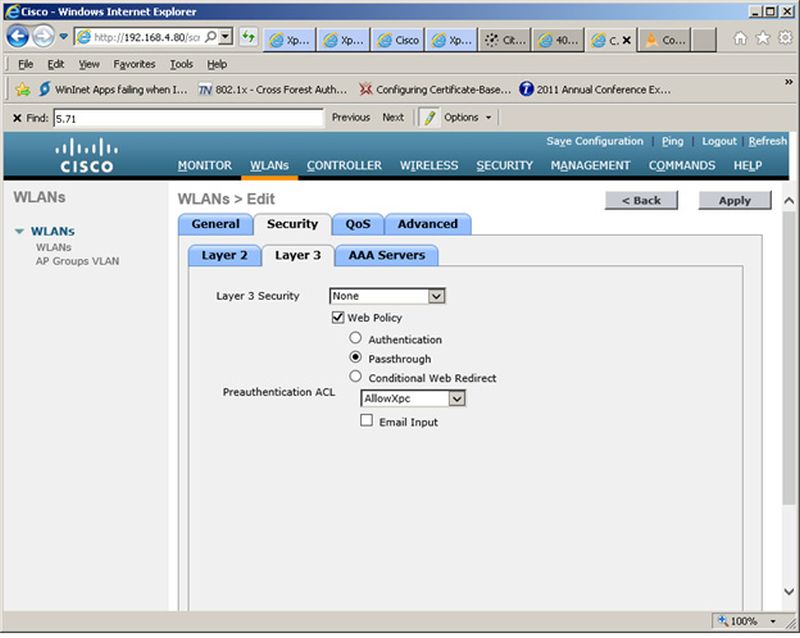
- On the Cisco WLAN Controller, under WLANs, edit the WLAN to use for the passthrough.
- Select the Security tab and the Layer 3 tab.
- In the Layer 3 Security section, check the Web Policy box and select Passthrough. Leave Layer 3 Security at None.
- Set the Preauthentication ACL. Leave Email Input unchecked.
- Apply changes.