Editing Ports
- On the navigation bar, click .
- In the Configuration Profiles page, select the profiles that you want
to edit and click Edit. The Edit Switch Configuration Profile page is displayed.
- Complete the General settings and click
Next.The VLANs page is displayed,
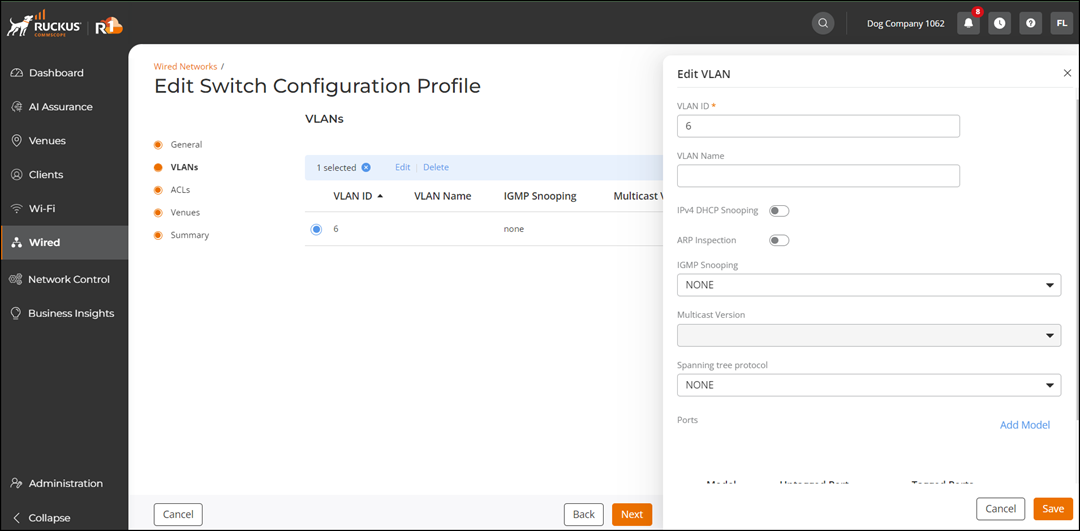
- Check the VLAN check box to access the Edit option.
- Click Edit.
- In the Ports section, click Add Model.
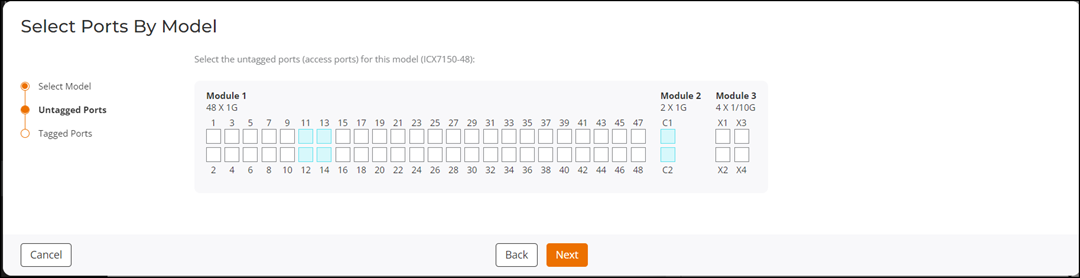
- In the Select Ports By Model page, select a model and click Next.
- In the Untagged Ports page, select and/or deselect the untagged ports from the available modules.
- In the Tagged Ports page, select and/or deselect the tagged ports from the available modules.
- Click Finish.