Configuring Rules

The RUCKUS IoT Controller allows you to configure a rule or design a flow for an AP or device by using a wide range of the nodes in the palette of Node-RED editor.
Complete the following steps to configure a rule.
Note: The Rules engine is disabled by default. To enable the Rules engine, click Admin > Services > Start.
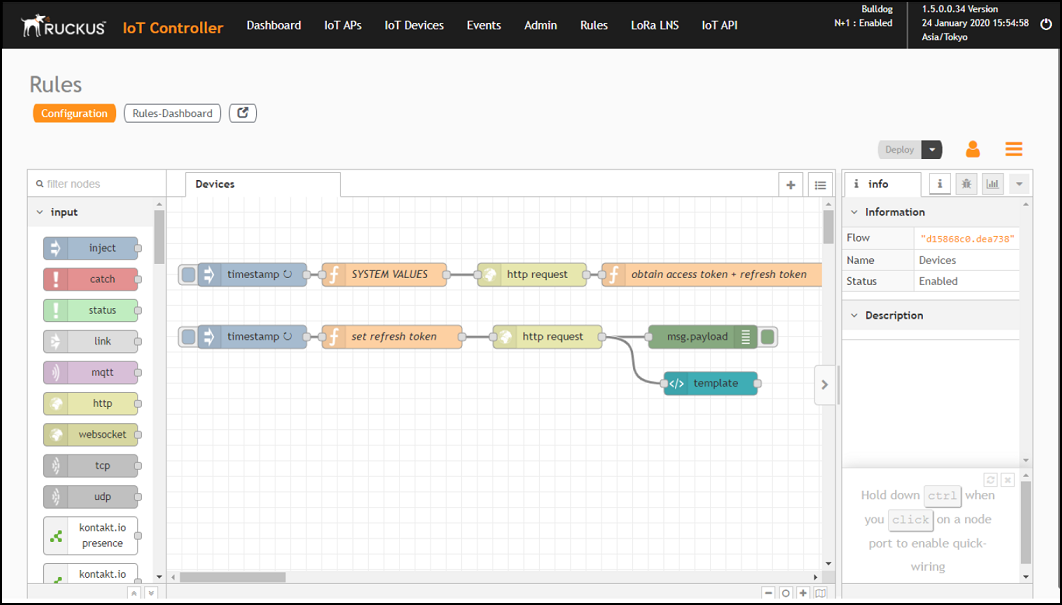
  1. From the main menu, click Rules > Configuration.
    Note: To create the rules, refer to https://nodered.org/docs/.

    Configuring a Rule

  2. Click the http request node.

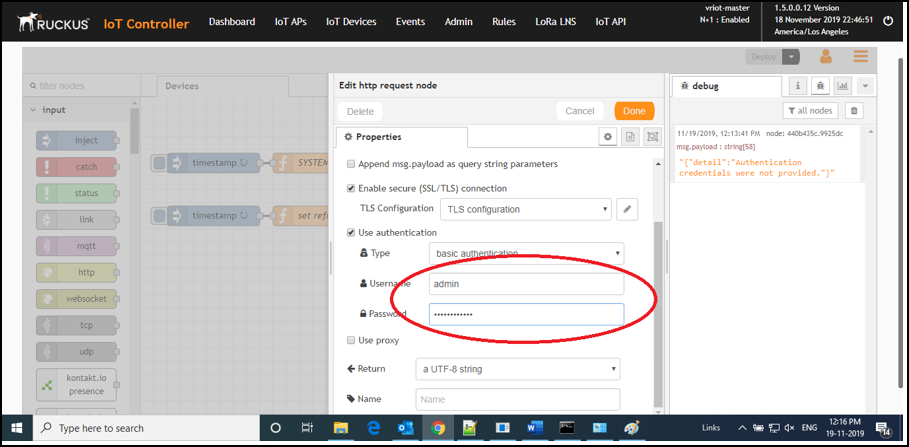
    Editing the HTTP Request Node

    Enter the login credentials, such as username and password, in the Username and Password fields, respectively.
  3. Click Deploy.
    The workflow is ready to be deployed.