Activating and Editing the iBeacon Plugin
The RUCKUS
IoT Controller provides support for the Bluetooth Low Energy (BLE) iBeacon plugin.
The RUCKUS IoT Controller reads the packet from the IoT AP,
and routes the packets to the BLE beacon vendor cloud services.
To establish a connection to a vendor infrastructure, the administrator must perform the following steps.
- From the main menu, click Admin.
- In the left navigation pane, click Plugins.
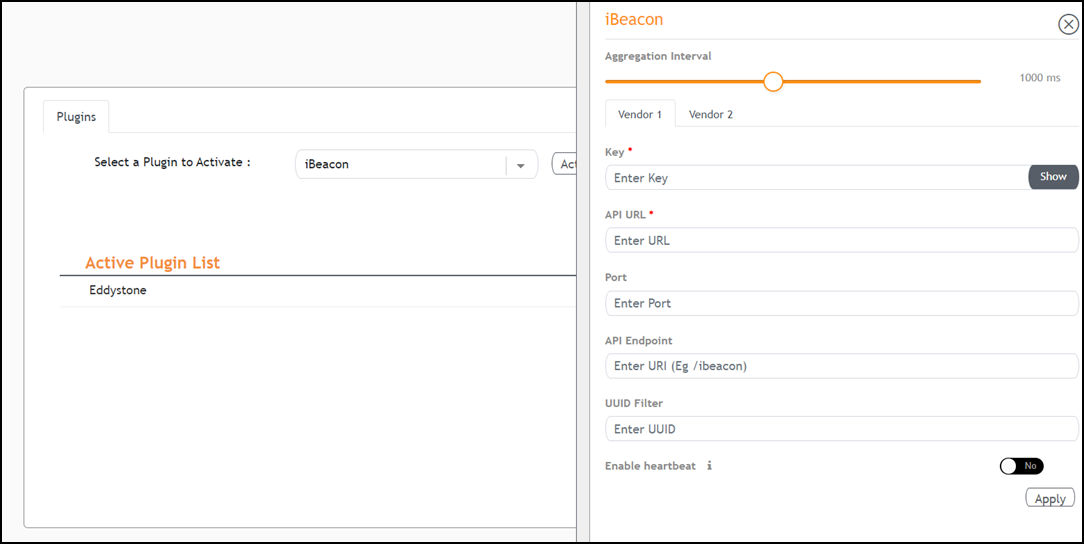
- In the Select a Plugin to Activate list, select the iBeacon plugin and click Activate.
- After the iBeacon plugin is activated, enter the following configuration parameters.
- For Aggregation Interval, set the time interval between two packets.
- Enter the Key.
- Enter the API URL
- Enter the Port number.
- Enter the API Endpoint.
- Enter the UUID Filter.
The filter allows only the BLE ADV packets with the specified UUID to be passed on to the vendor application.
- Enable heartbeat.
Enabling heartbeat allows the vendor application to receive the IoT AP status, such as online or offline.
- Click Apply.
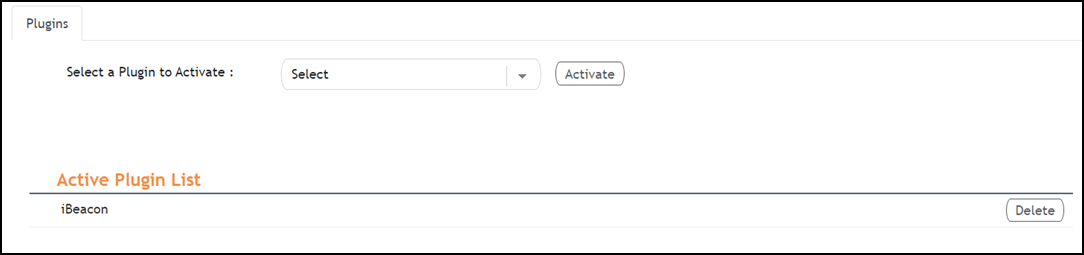
- (Optional) To deactivate the iBeacon plugin, select it and click Delete.
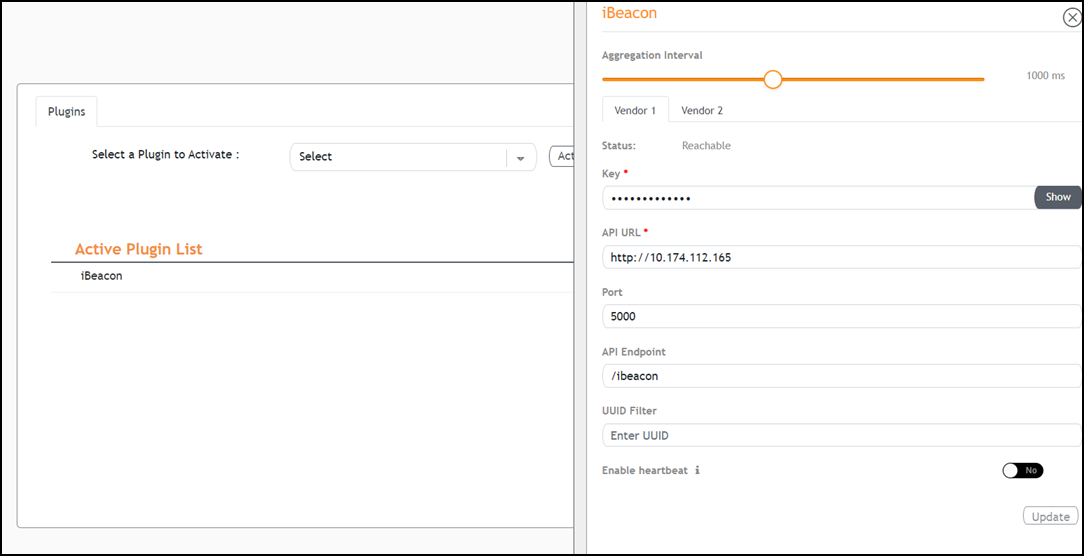
- (Optional) To edit the configuration of the iBeacon plugin, select it and click Update.