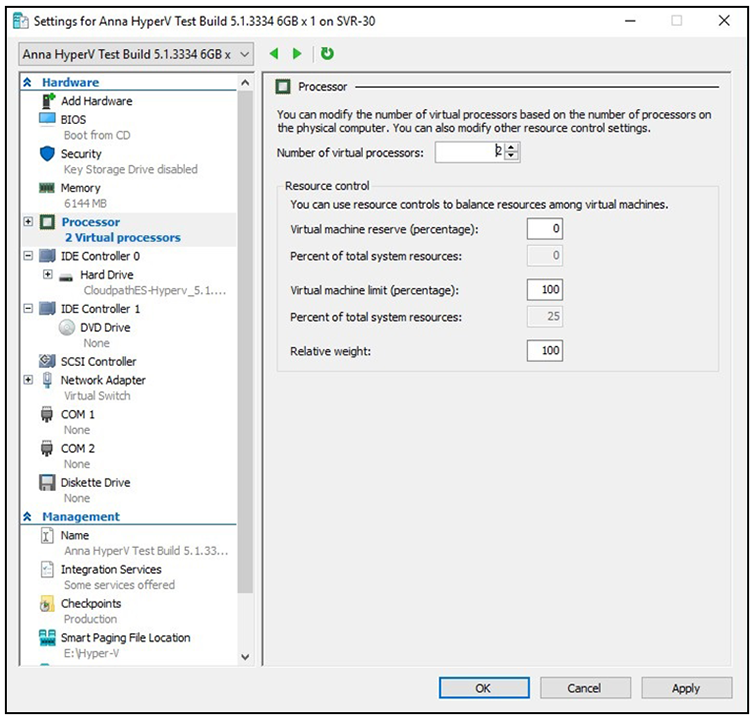
Configuring Virtual Processors
By default, the new VM wizard assigns one virtual processor to a new VM. You can increase
the number of virtual processors in the VM settings.
Note: The VM must be powered off to change
Settings.
To configure virtual processors, perform the following steps:
- With the VM selected, navigate to the Action menu, and select Settings. Alternately, you can right-click the selected VM.
- Select Processor.
- In the left pan, select Processor.
- In the right pane, increase the value for Number of virtual processors.
- Click Apply, then click OK.
- Power on the virtual machine to continue with the configuration.