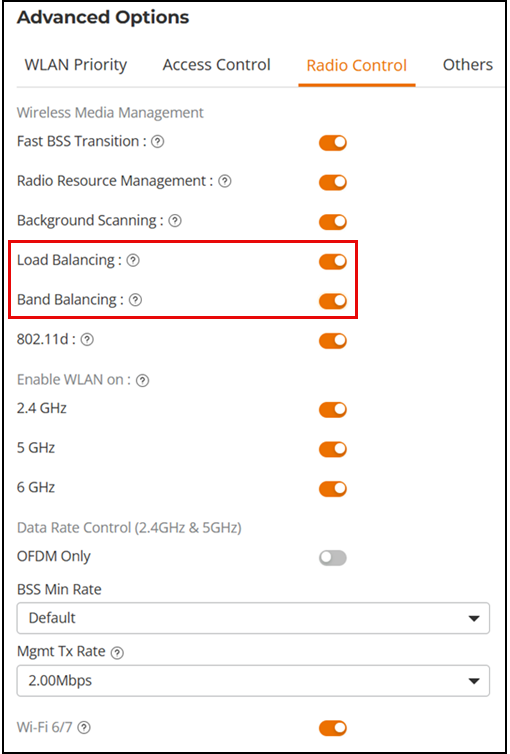
Disabling Load and Band Balancing for a WLAN
Load balancing can be disabled on a
per-WLAN basis; for instance, in a voice WLAN, load balancing may not be desired
due to
voice roaming considerations. Disabling load and band balancing on a WLAN may cause
overloaded access points, increased congestion, unreliable roaming, and inefficient
network
use, especially in high-traffic networks.
-
UI label difference in UnleashedIn the page, select the WLAN for which you want to disable load balancing and band balancing, and click Edit.
- In the Edit Wi-Fi Network wizard, select the Advanced Options page, select the Radio Control tab, and toggle the Load Balancing and Band Balancing options to off.
- Click Apply to save your changes.