Configuring a User-Defined Time Zone
A user-defined time zone allows the admin
to customize the time zone and daylight saving time start and end times.
-
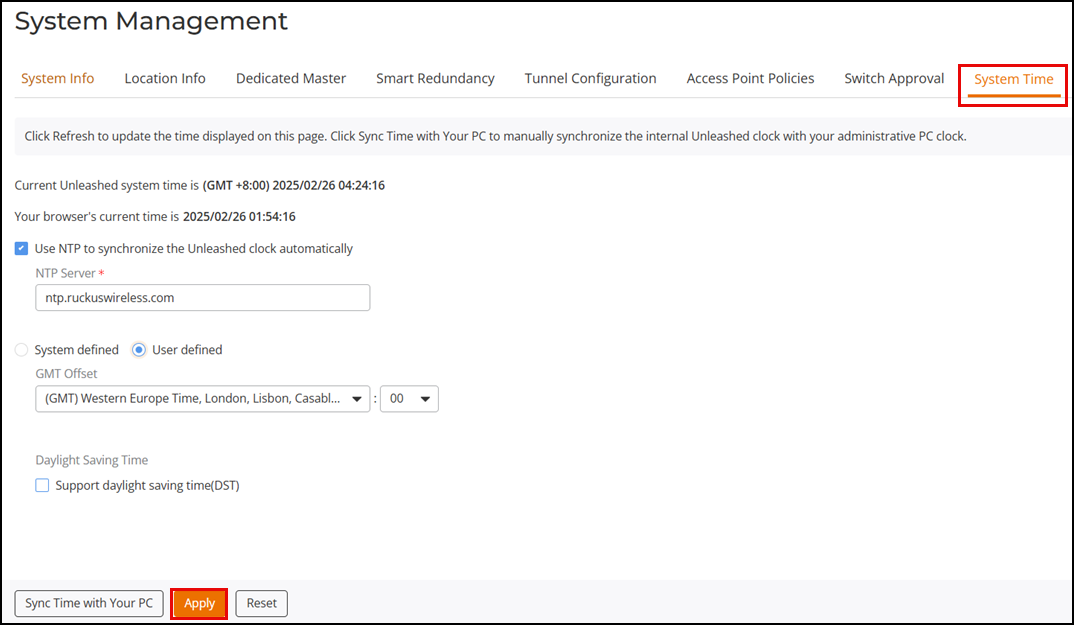
UI path for UnleashedFrom the main menu, select .
-
UnleashedSelect the Use NTP to synchronize the Unleashed clock automatically checkbox, and select User Defined.
- For GMT Offset, select the hours and minutes away from GMT.
- (Optional) Click the Support daylight saving time (DST) checkbox to enable daylight saving time, and enter the DST start on the and DST end on the
- Click Apply to save your changes.