Preferences
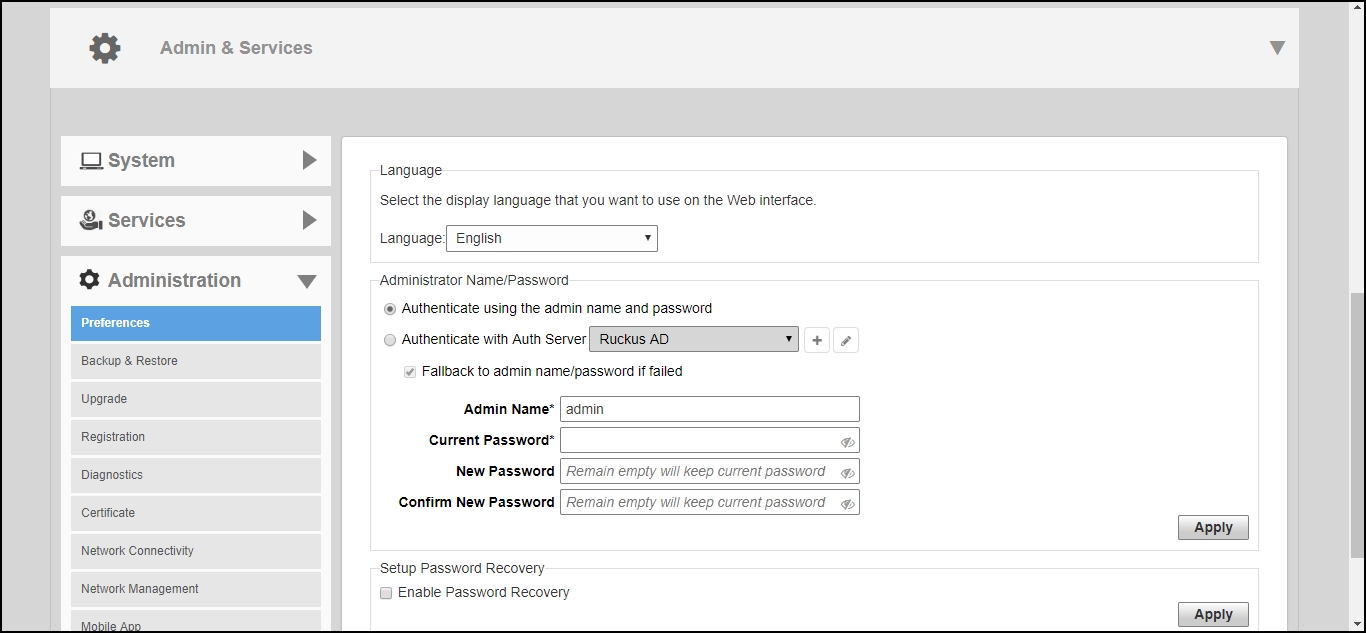
Select page to set the user interface language and to change the admin login name and password.
Configure the following admin preferences settings and click Apply to apply your changes:
- Under Language, select the web interface language.
- Under Administrator Name/Password, select the Authenticate using the admin name and password option for standard login using an admin username and password. This is the default option.
- Select the Authenticate with Auth Server option, and select a
Active Directory server from the list.
To enable this option, a valid Microsoft Active Directory AAA server object must be created so that RUCKUS Unleashed can authenticate users to the AD server. If enabled, optionally enable Fallback to admin name/password if failed to allow standard login if the AD authentication fails.
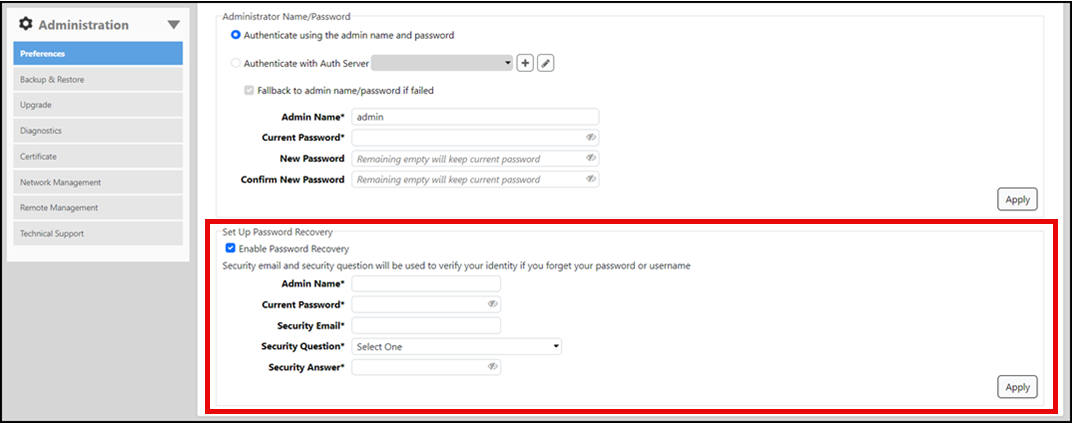
- Under Setup Password Recovery, select the Enable Password Recovery check box. Enter admin name and current password to authenticate password recovery. Enter a security email, security question, and security answer that can be used to recover the admin password in the event that the password is lost.