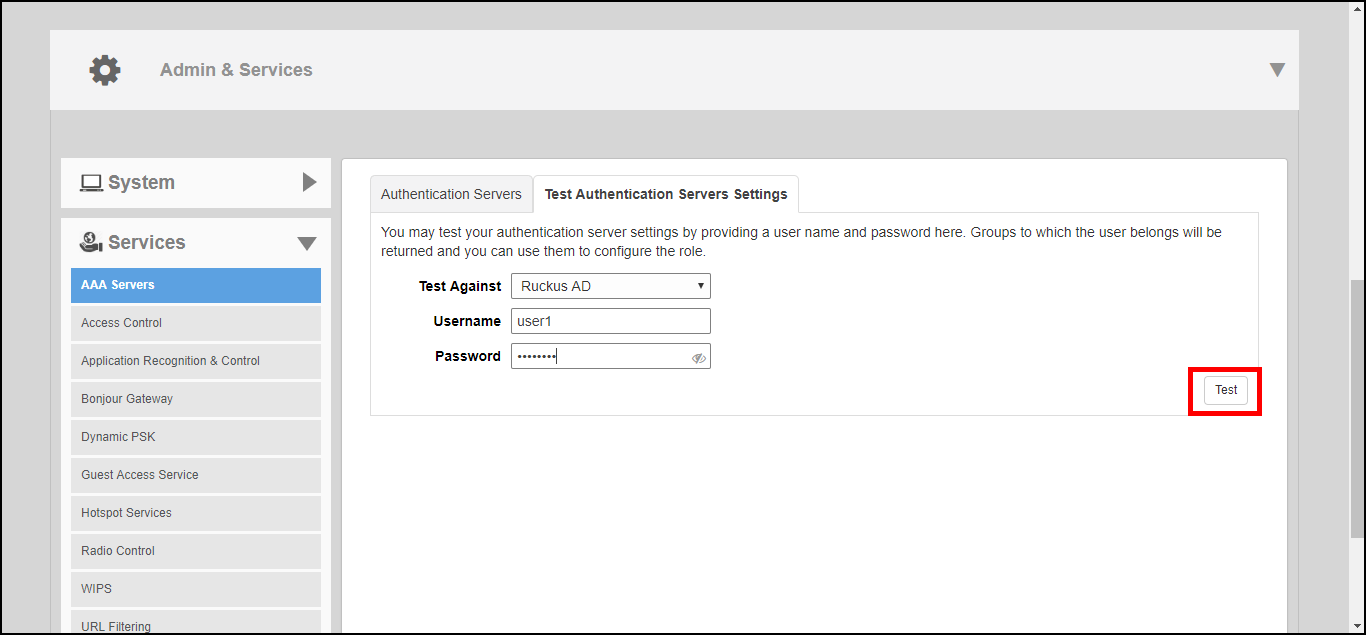
Testing Authentication Settings
The
Test Authentication Settings feature allows you to query an AAA server for a known authorized user, and return
Groups associated with the user that can be used for configuring Roles within Unleashed.
After you have configured one or more authentication servers in Unleashed, perform this task to ensure that Unleashed can connect to the authentication server and retrieve the groups/attributes that you have configured for each user account.
To test the connection to the authentication server:
- Go to Admin & Services > Services > AAA Servers > Test Authentication Servers Settings.
- Select the authentication server that you want to use from the Test Against drop-down menu.
- In User Name and Password, enter an Active Directory or RADIUS user name and password.
- Click Test.
Success! Groups associated with this user are “{group_name}”. This user will be assigned a role of {role}.
If the test was unsuccessful, there are several possible results (other than success) that will be displayed to inform you if you have entered information incorrectly:
These results can be used to troubleshoot the reasons for failure to authenticate users to an AAA server.