Preferences
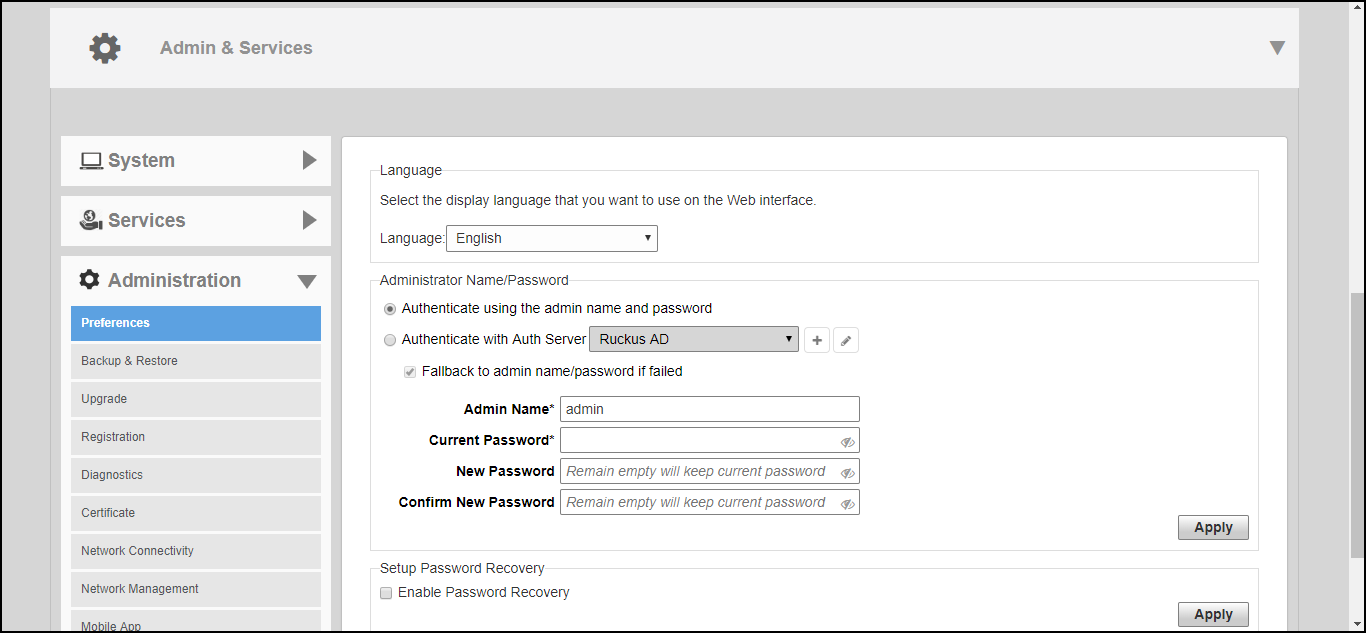
Use the Administration > Preferences page to set the user interface language and to change the Admin login name and password.
Configure the following admin preferences settings and click Apply to apply your changes:
- Language: Choose the web interface language.
- Administrator Name/Password: Change the current admin name and password.
- Authenticate using the admin name and password: This is the default option. Use this option for standard login using an admin username/password.
- Authenticate with Auth Server: Use this option to allow multiple users to perform admin functions based on Active Directory credentials. To enable this option, a valid Microsoft Active Directory AAA server object must be created so that Unleashed can authenticate users to the AD server. If enabled, optionally enable Fallback to admin name/password if failed to allow standard login if the AD authentication fails.
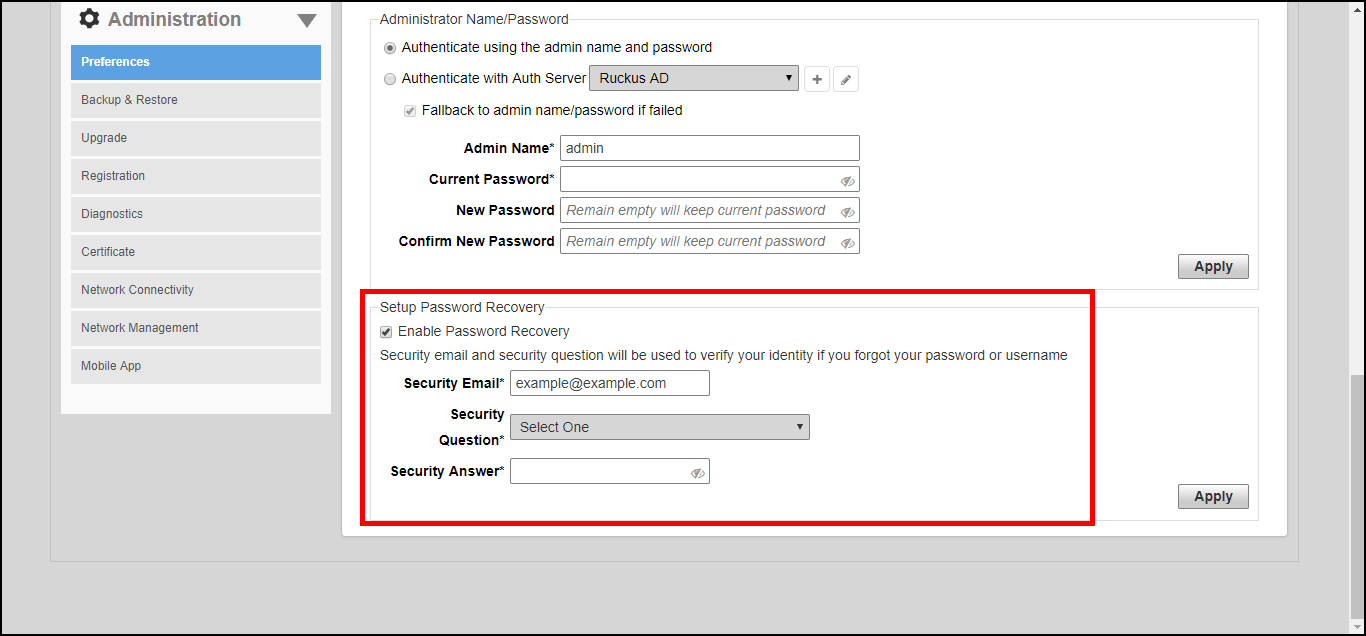
- Setup Password Recovery: Select this option, and enter a Security email, Security Question and Security Answer that can be used to recover the admin password in the event that the password is lost.