Importing Users into the Local Database using CSV File
- From the dashboard, select .
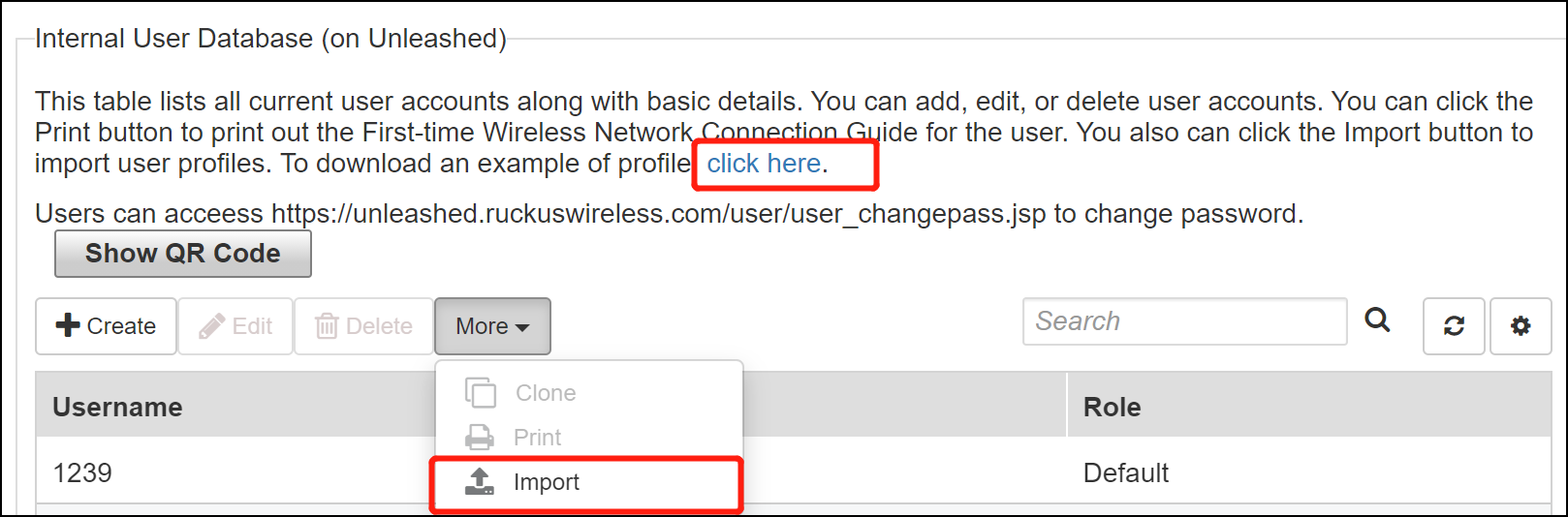
- Under Internal User
Database, click to import user profiles.You can download a sample user profile using the link in To download a example of profile, click here.
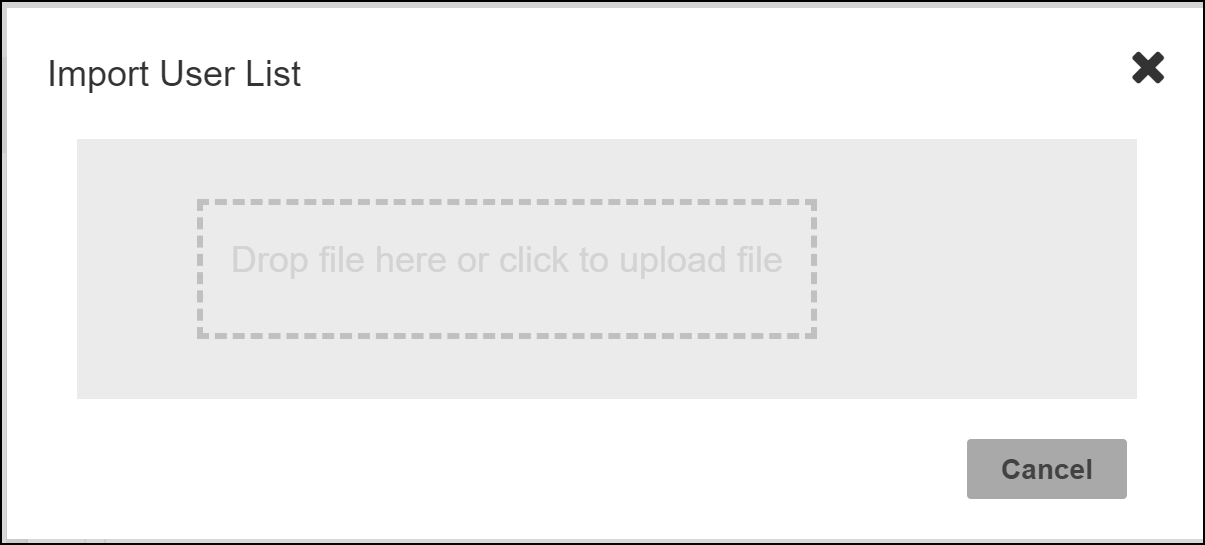
- In the Import User List window, either drag-and-drop a file within the dotted area or click to upload the file.