Enabling Wi-Fi Calling for a WLAN
After a Wi-Fi Calling profile has been
created, you must configure each WLAN with one or more profiles to enable the feature
for
the WLAN.
Note: A WLAN can support up to five Wi-Fi
Calling profiles.
Complete the following steps to enable Wi-Fi Calling for a WLAN.
- Select the WLAN that will support Wi-Fi Calling, and click Edit.
- Click .
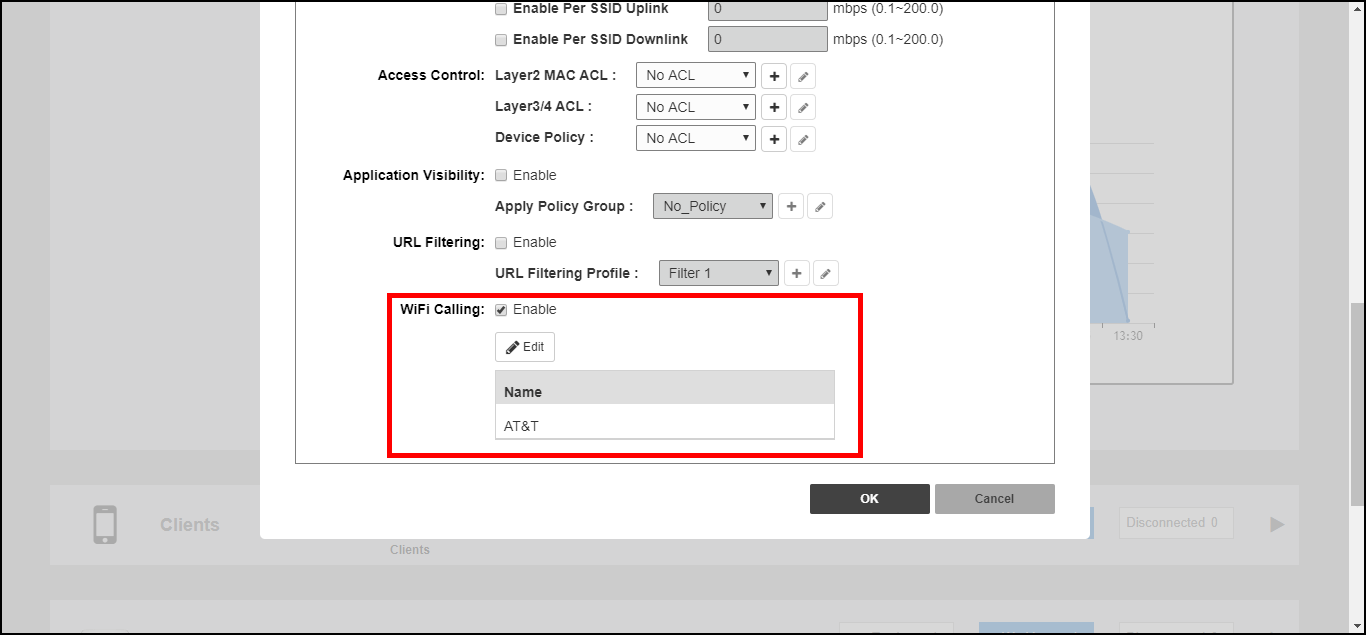
- For the WiFi Calling option, click Edit to select Wi-Fi Calling profiles.
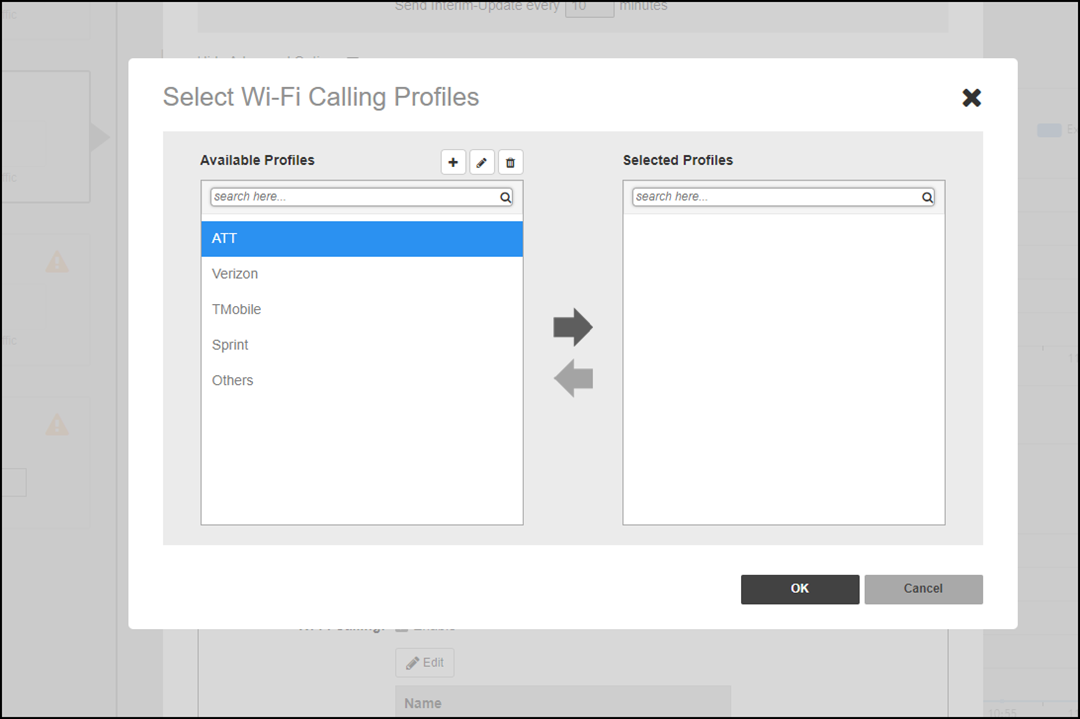
- Select a profile from the list of Available Profiles, click the right arrow to move it to the list of Selected Profiles, and click OK to save your changes.
- Click OK to save the changes in the Advanced Options window.