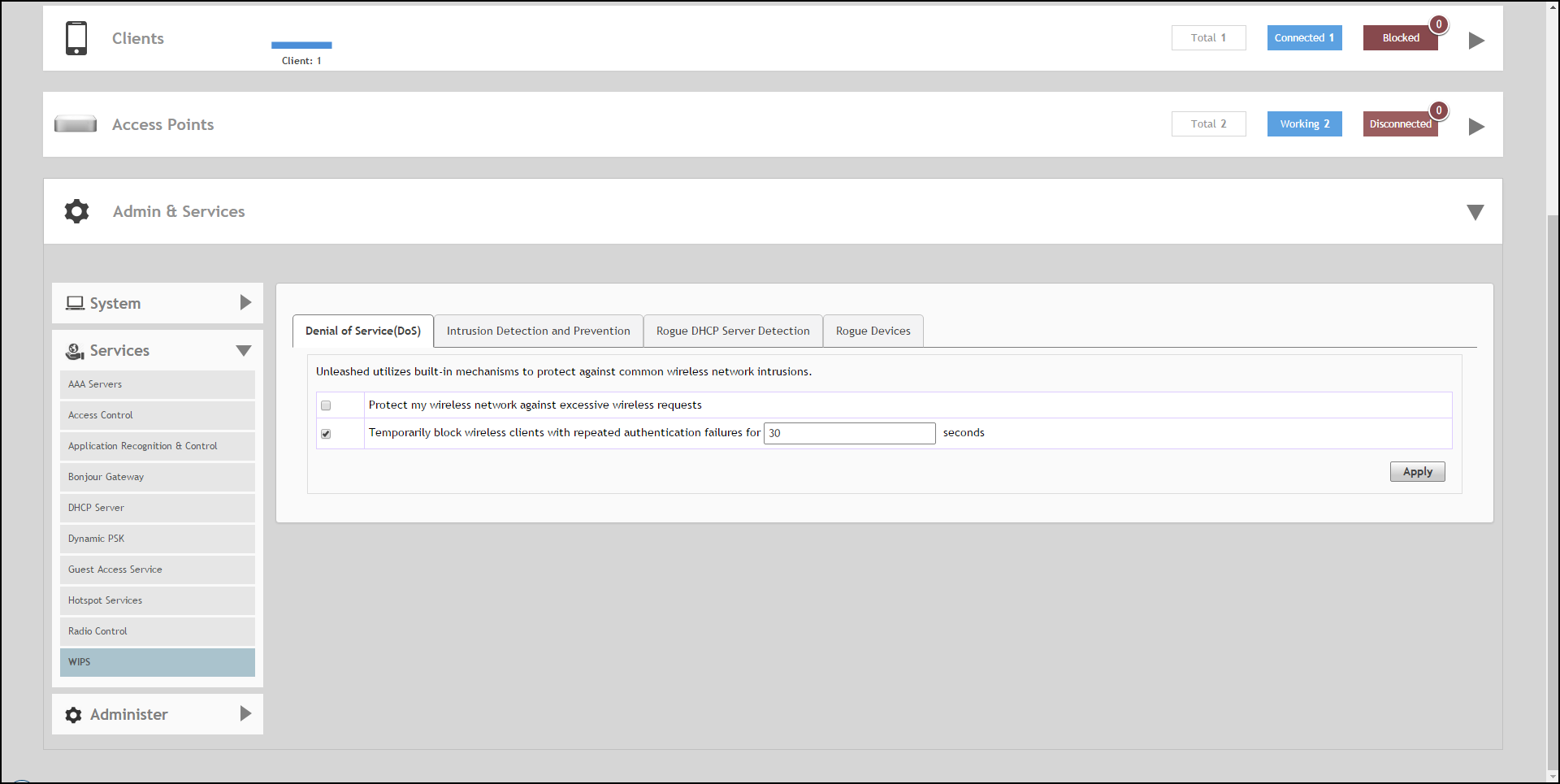
Denial of Service (DoS)
Two options are provided to protect the wireless network from Denial of Service attacks.
To configure the DoS protection options:
- Go to Admin & Services > Services > WIPS > Denial of Service (DoS).
- Configure the following settings:
- Protect my wireless network against excessive wireless requests: If thiscapability is activated, excessive 802.11 probe request frames and management frames launched by malicious attackers will be discarded.
- Temporarily block wireless clients with repeated authentication failures for [ ] seconds: If this capability is activated, any clients that repeatedly fail in attempting authentication will be temporarily blocked for a period of time (10~1200 seconds, default is 30).
- Click Apply to save your changes.