Deleting a User Record
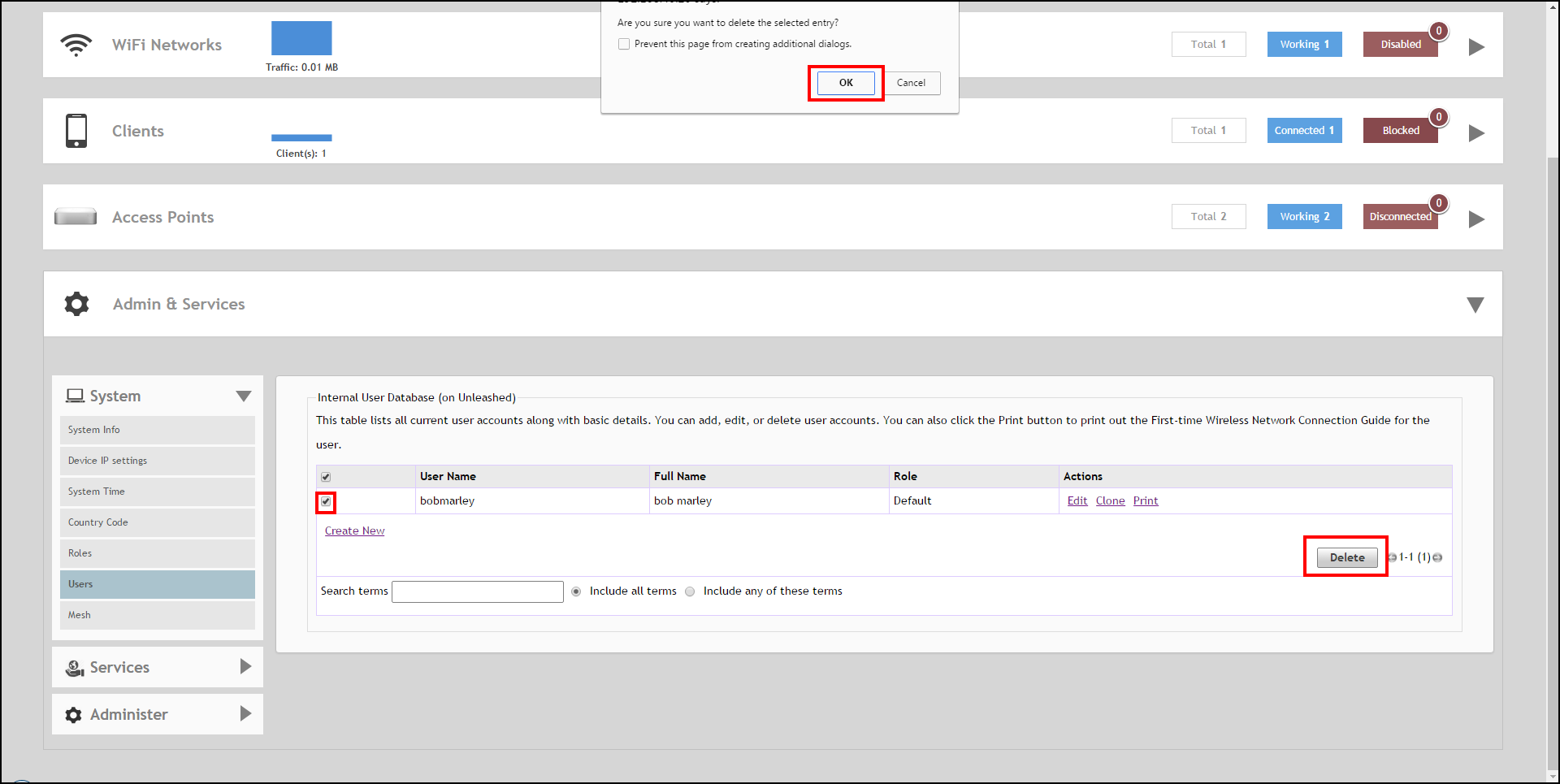
- Go to Admin & Services > System > Users.
- Review the Internal User Database table.
- To delete one or more records, click the check boxes next to those account records, and click the Delete button.
- When the confirmation dialog box appears, click OK to save your settings. The records are removed from the internal user database.