Creating a Layer 2/MAC Address Access Control List
You can define Layer 2/MAC address ACLs, which can then be applied to one or more WLANs (upon the creation or editing of a WLAN). ACLs are either allow-only or deny-only; that is, an ACL can be set up to allow only specified clients or to deny only specified clients. MAC addresses that are in the deny list are blocked at the AP, not necessarily at the Master AP.
Complete the following steps to configure a Layer 2/MAC ACL.
-
UI path for UnleashedFrom the dashboard, select .
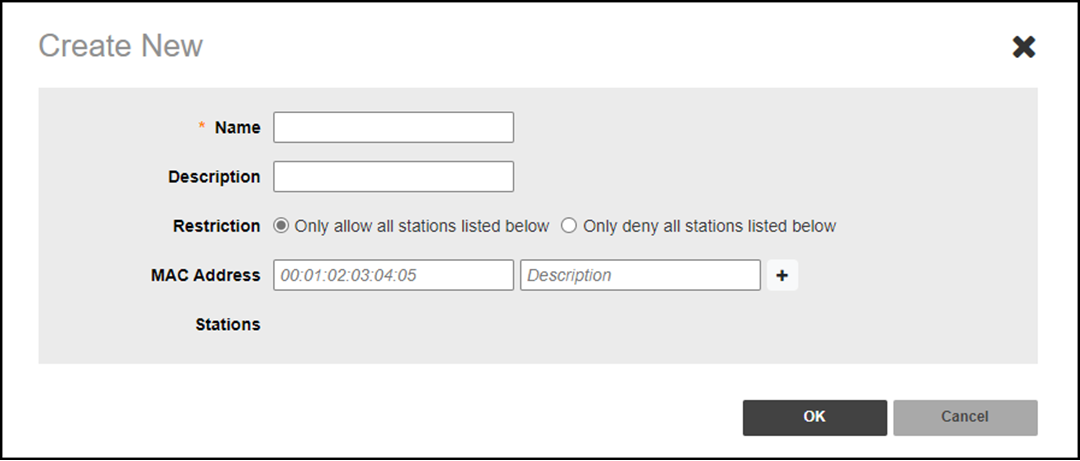
- Click Create. The Create New dialog box is displayed.
- Enter a name for the ACL, and (optionally) enter a description.
- Under Restriction, select either Only allow all stations listed below or Only deny all stations listed below.
- Under MAC Address, enter a MAC address and description (optional), and click Add to save the address. The new MAC address is displayed under Stations. You can enter up to 128 MAC addresses per ACL.
- Click OK to save the Layer 2/MAC address-based ACL.
Note: You can create up to 32 Layer 2/MAC address ACL rules and each rule can contain up
to 128 MAC addresses. Each WLAN can be configured with one Layer 2 ACL.