Creating a Bonjour Gateway Service
The Bonjour Gateway service is essentially a list of rules for mapping services from
one VLAN to another. Using the Bonjour Gateway feature, the Unleashed AP serves as
the proxy for forwarding Bonjour packets to the designated VLANs.
To configure rules for bridging Bonjour services across VLANs:
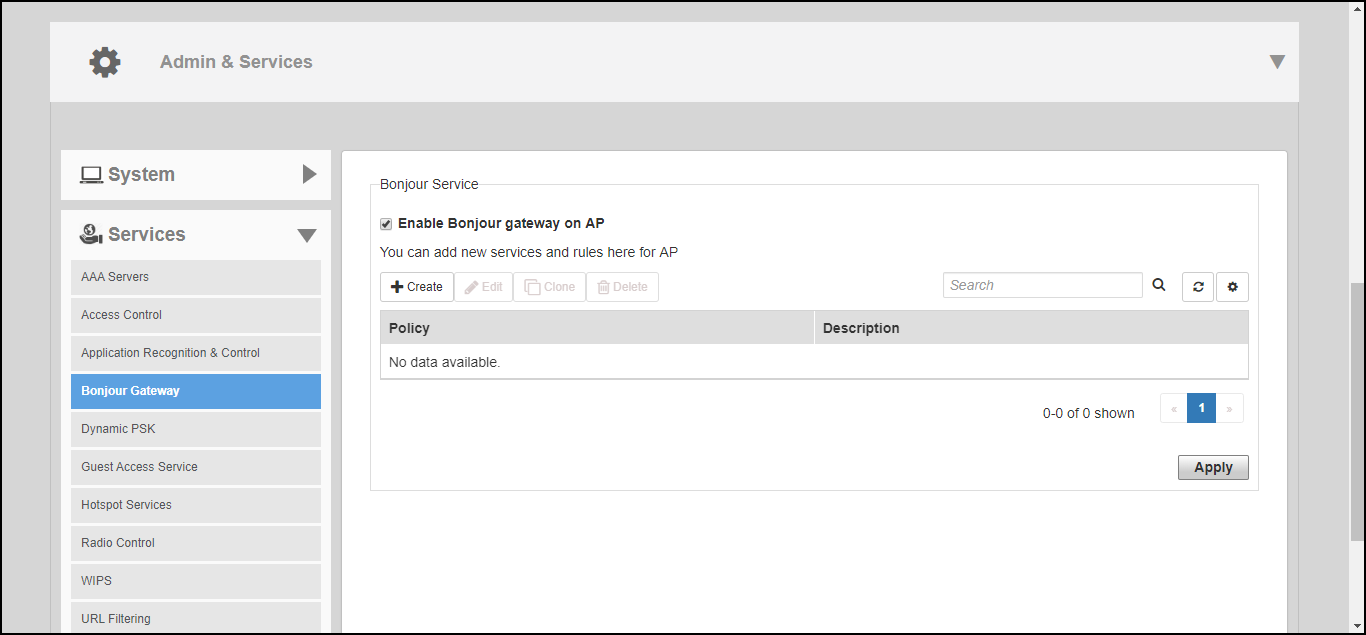
- Go to Admin & Services > Services > Bonjour Gateway.
- Enable the check box next to Enable Bonjour gateway on AP.
- Click Create New to create a new Bonjour service.
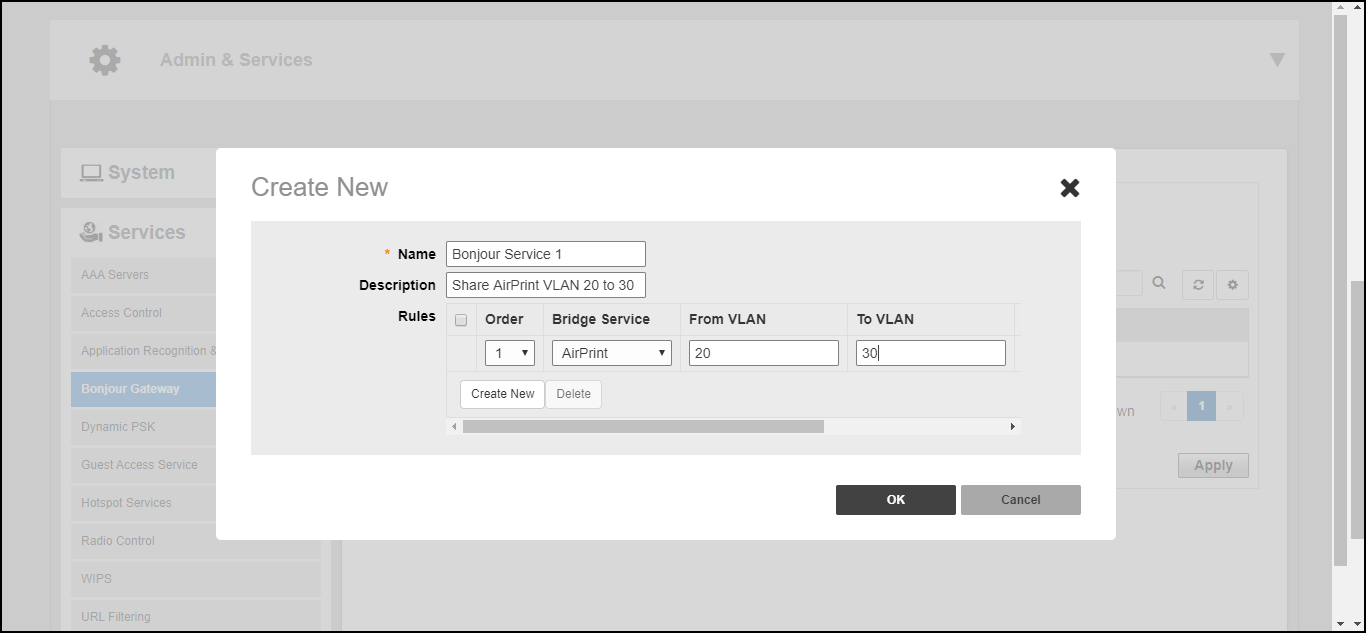
- Enter a Name and optionally a Description for the service.
- Click Create New to create a new rule.
- In the Create New form, configure the following options:
- Click OK to save your changes.
- Repeat for any additional rules.
- Click Apply to save the Bonjour Service.