Configuring a Management Access Control
Management Access Control can be used to
control access to the management interface of RUCKUS
Unleashed.
When you create a management access control rule, all IP addresses and subnets other than those listed specifically listed are blocked from accessing the RUCKUS Unleashed web interface. Access can be restricted by subnet, single IP address, and IP address range.
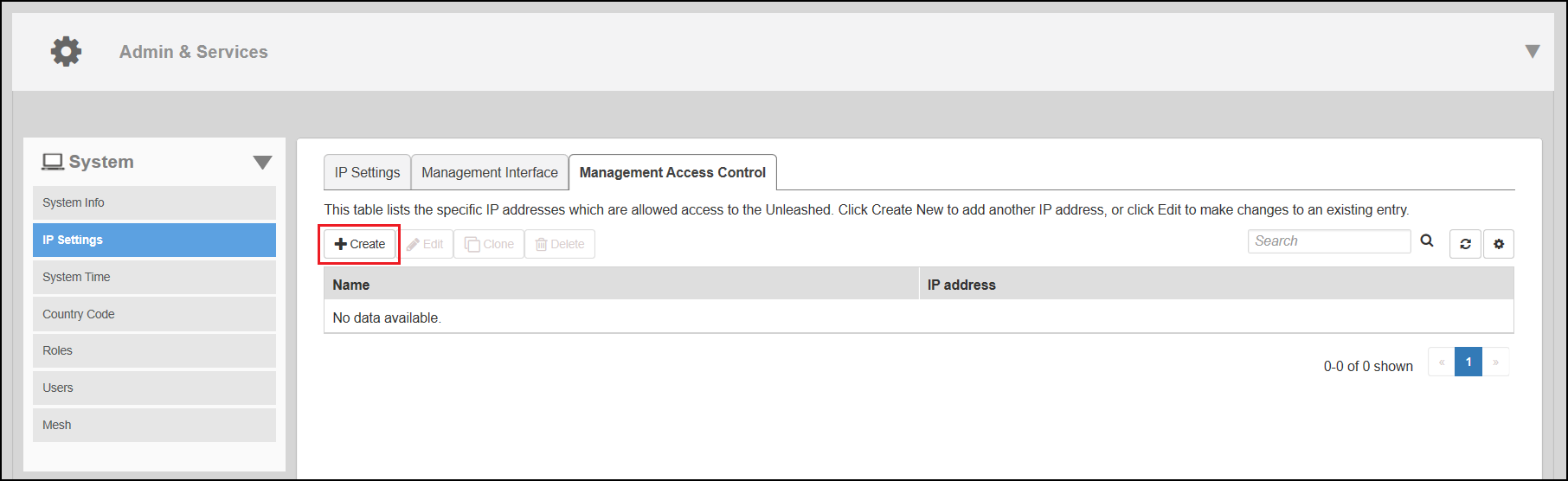
- Go to .
- Click Create.
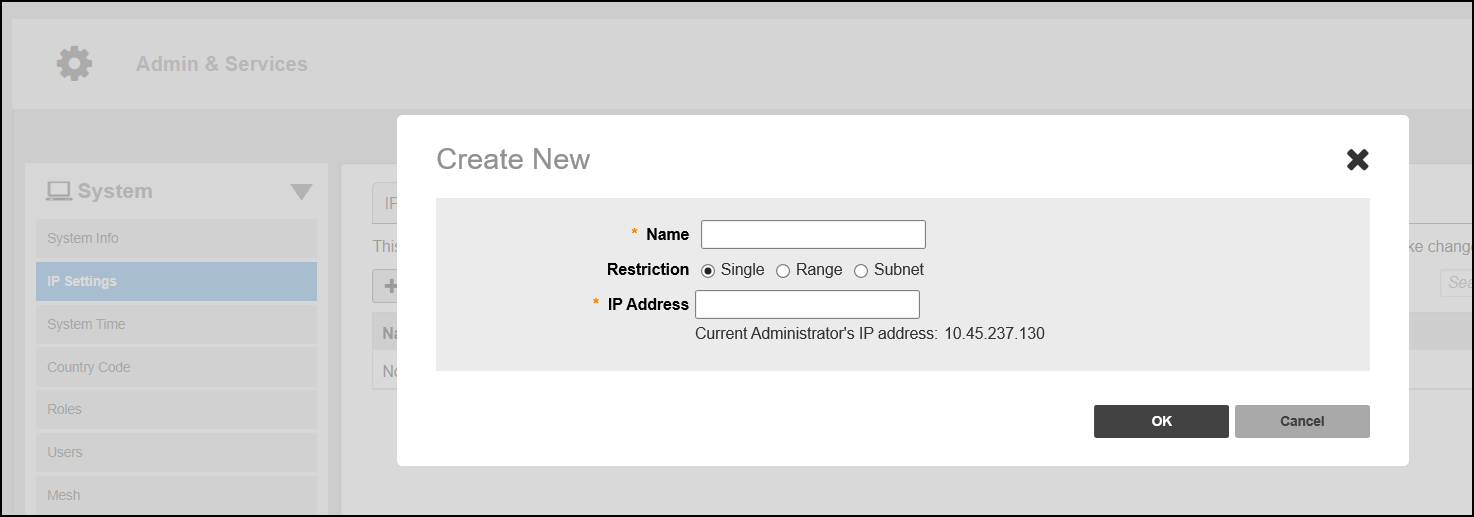
- In the Create New
dialog box, enter the following information:
- In the Name field, enter the user name that you want to allow access to the RUCKUS Unleashed web interface.
- For Restriction, select one of the options:
- In the IP Address field, enter a single IP address, a range of IP addresses, or a subnet based on your Restriction option.
- Click OK.