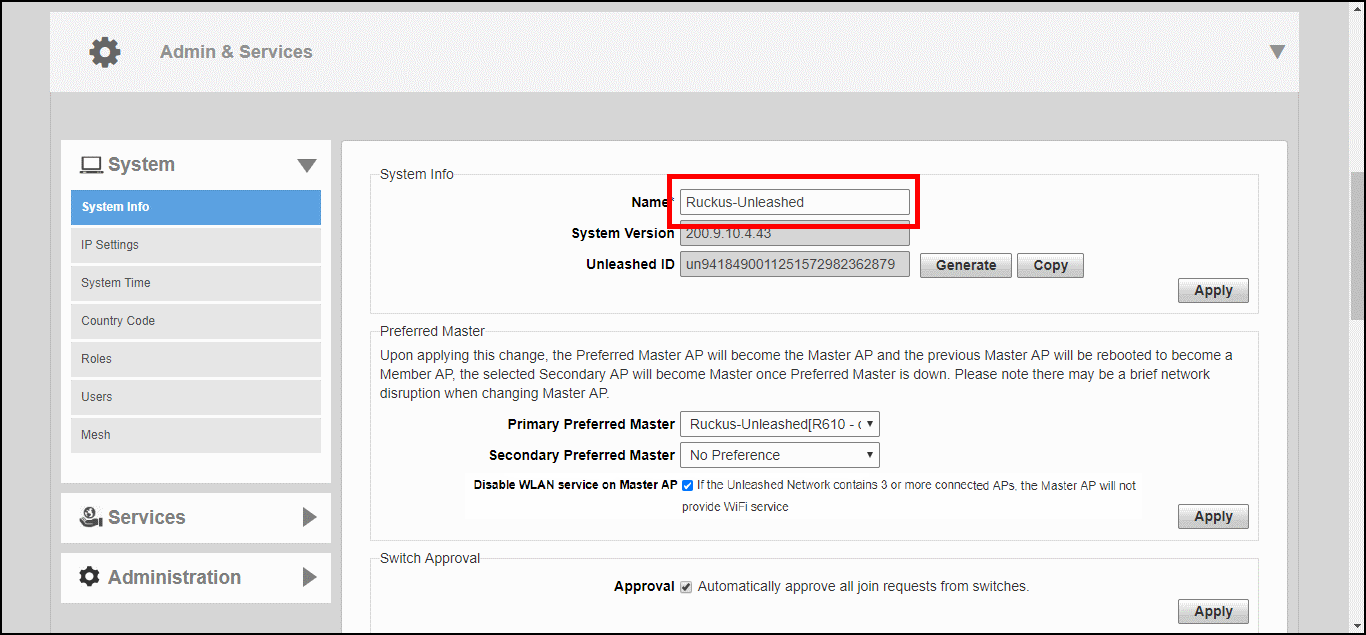
Changing the System Name
The
System Info page displays the current system firmware version and provides an option to reconfigure
the system name.
To change the system name:
- Go to Admin & Services > System > System Info.
- In System Name, delete the text, and then type a new name. The name should be between 1 and 32 characters in length, using letters, numbers, underscores (_) and hyphens (-). Do not use spaces or other special characters. Do not start with a hyphen (-) or underscore (_). System names are case sensitive.
- Click Apply to save your settings. The change goes into effect immediately.